Export settings for Adobe Illustrator

Hi,
Has anyone had any luck with the pdf export and what settings did you use.
I've created my pattern, draped it etc, and I'm happy with it. I've aligned it all on the print view and set it for my plotter size paper, yay off to print. However.... the print cuts off after half of the page. So I can't use it. Tried to plot it as a pdf, theory was it'd save to the size of the paper. Nope, doesn't plot to pdf, nothing happens.
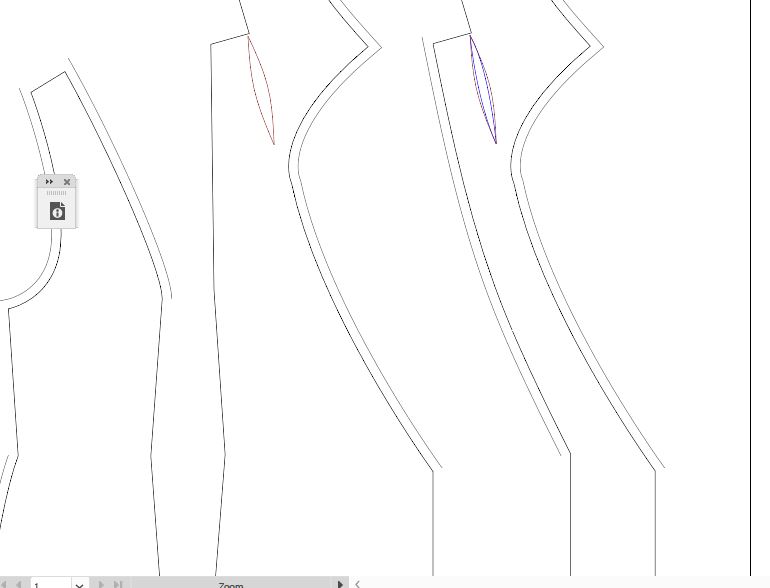
So... plan b. Export as a pdf, open in Illustrator and rearrange the pieces so they fit on the page. Problem is something funky is happening. I've tried selecting different things. And even with all the "show line" options selected, bits of it are missing. And the notches have dissappeared, but they are showing on the acutal pdf, just not in illustrator.
On to plan c. Export as dxf, open in illustrator - that was a daft idea, doesn't play ball.
Plan d. Export as dxf, open in CAD software, then print or export to pdf (LibreCAD - nothing fancy), tried all 3 dxf settings. Finally found one that worked, but when in the CAD software I can't edit the pattern. So I can't arrange it or change anything.
Honestly I'm stumped.
Ideally I would like to be able to export to pdf, and edit in Illustrator so I can create a nice looking pattern as well (the standard Clo grainlines just aren't doing it for me)
I've attached a pic of what I'm getting in Illustrator - no notches and bits missing
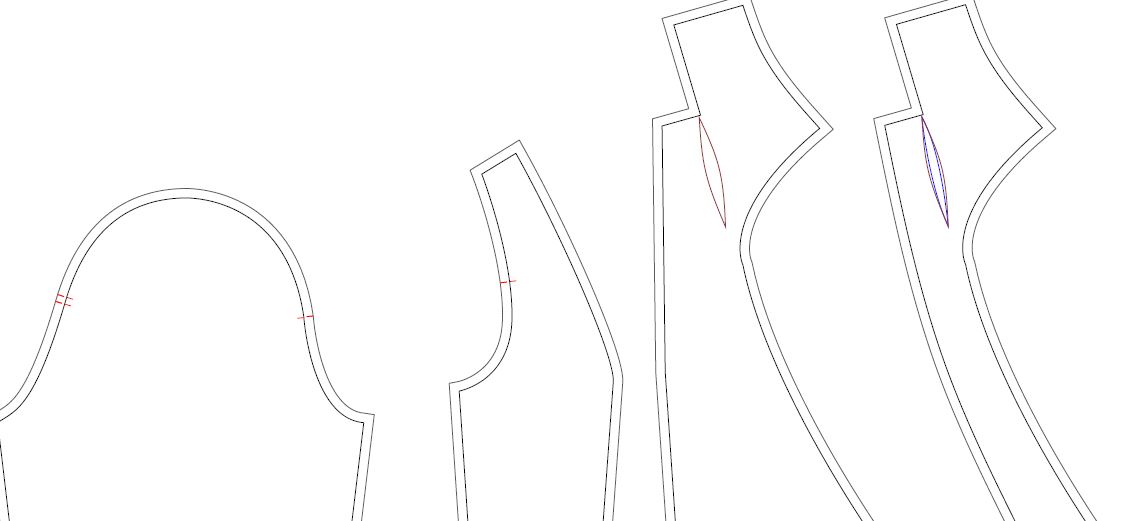
This is what the pdf should look like - pic taken in adobe reader
What am I missing?
Surely there must be a way to do this.
-
Answered my own question with the export. In CS6 it works but CC17 it doesn't. For some reason CC17 you need to select everything and increase the line weight. For some reason some of the lines revert to 0.
However, still not sure why the plotter cuts the pattern off halfway though, there's nothing to change in clo for that. So I guess this is the only work around?
0
Comments