Problem importing DFX - "Pattern size is extremely large"

I'm trying to import a dfx file, but I get this message and then nothing shows up in my workspace:
"Pattern size is extremely large. Please confirm the Pattern scale or units."
Can anyone tell me how to fix this?
Thanks!
-
Hi sheepdreams,
Thanks for your inquires.
May I know the DXF file was exported from which software? When exporting DXF pattern from other 2D CAD, please double-check the scale unit.
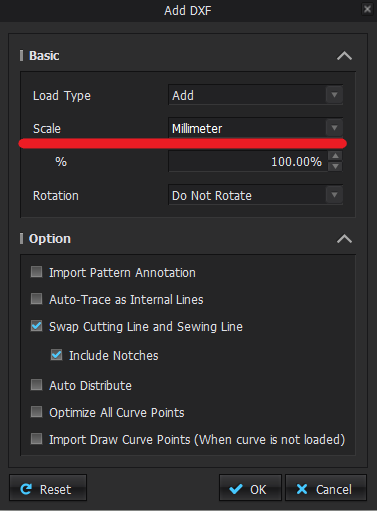
When adding DXF pattern to CLO, please also double-check the scale unit fits your needs. You can try to change the unit mm/ cm to solve the issue.
If the scale is too large, you will see the pop-up message about "Pattern size is extremely large. Please confirm the Pattern scale or units."
 0
0 -
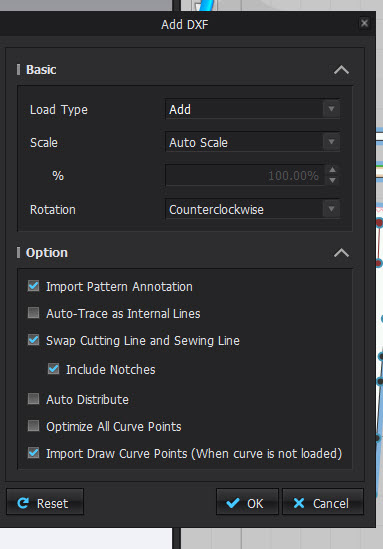
Hi I don't know if this helps but from Lectra to Clo I use this setting :)
 0
0 -
Hi rapou. Have you double checked that the export settings in Lectra are also set to 100%.
When you are importing to CLO you can chance from Auto Scale to whatever measurement system you use in Lectra. Having those match should help
0
Comments