Transformation Problem with Edit Texture and Texture Editor

Hi, to emulate sublimation I create a texture as big as the piece of the pattern I want to apply it and upload it (so that the normal maps are applied seamless between base and graphic). The problem I recently have is that if I use the Edit Texture tool or transformation to size it correctly, when I open the texture editor a second time or click apply all the transformation is gone. You can see it on this gif. Is this a bug or I'm missing something?
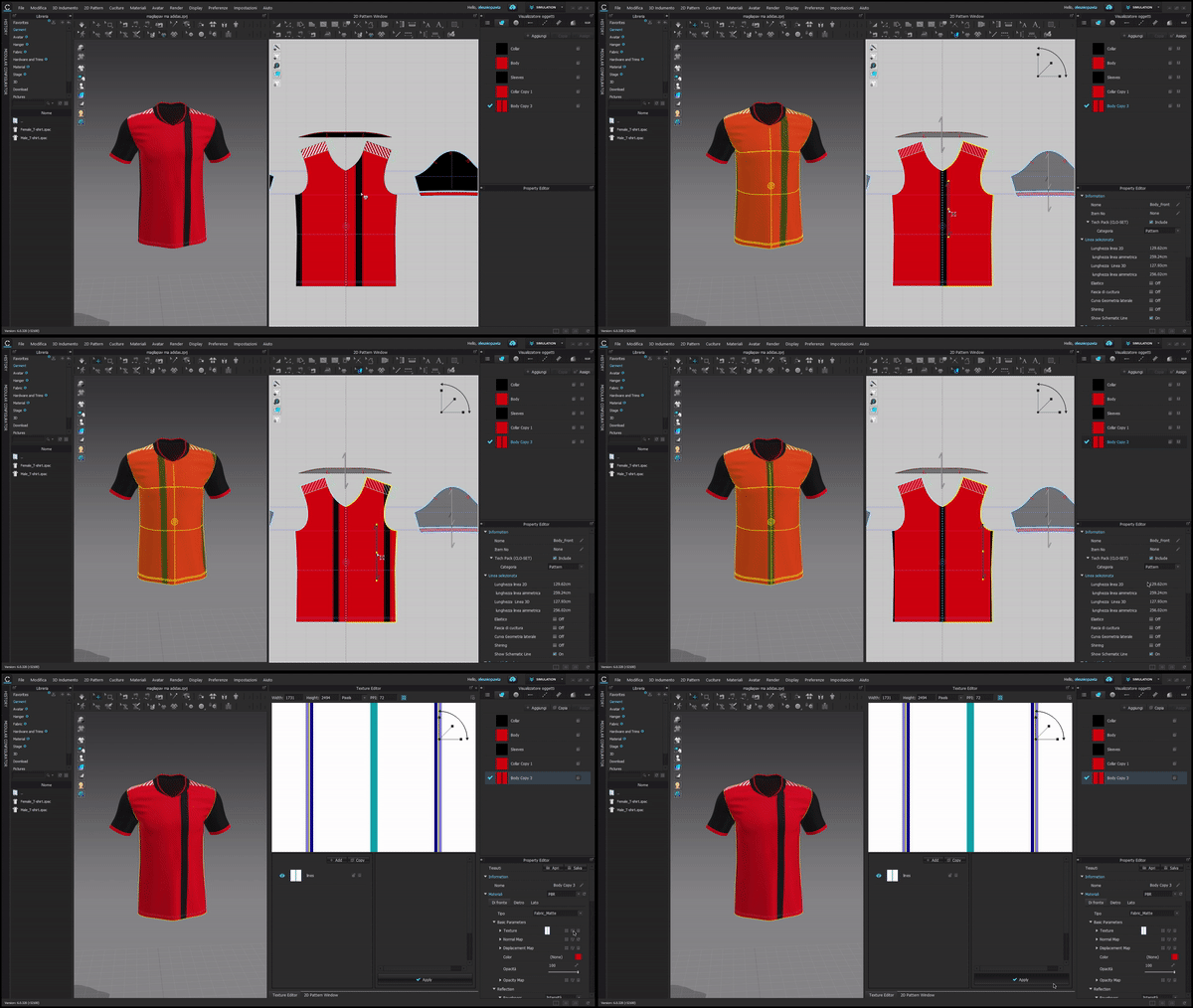
-
Hi alessiopavia. Without seeing the whole process from start to finish it is hard to comment directly on the video that you have added. Have you tried to Add as Graphic instead of using Texture Editor. This will probably be an easier way of add for a sublimation print. This way you can add your graphic as well as normal maps can be added all together. You just have to make sure to add both the graphic and map at the same time before adjusting scale. Hope this helps
0 -
Hi, thanks for the answer. It happens in any situation so it's not needed what happens before, this is something that happens even when I create a new garment. I know about graphics, but the problem is that even if it is a good workaround it makes difficult to place other logos on top because sometimes even when I do right click>order and I choose the order I want it doesn't get applied, and also when I move other graphics that are on top of it, they disappear on the 3d window until I release the button, so it is much more difficult to align correctly everything.
0 -
Did you find a solution?
0 -
Hello Clo Team,
I am having trouble using the texture editor. As soon as I click on "open texture editor" the program shut down. I tried any sort of texture it does the same.
Although it was working perfectly fine suddenly it stopped responding. Please help...
0 -
Hi clon8
Are you currently using the most up to date version of CLO? Have you also made sure that your graphics card is up to date?
Have you also tried to shut down your computer and then restart?
0
Comments