Error message CLO version 7 when I want to open graded sizes

Hello! The product is graded from size 34 - 58 (german size). The sizes 46 - 58 can be opened. From size 44 comes the following error message: Can someone please help me ? Thank you very much!

-
The error is appearing because 2 or more Segment points on your pattern are too close together. When CLO goes to grade the pattern these points cause an error (possible a Segment line warping/looping).
The best solution is to look at next size that you can view and find where there are 2 or more very close/overlapping Segments Points. You can then either remove those Segment Points or Convert them to Curve Points.
Hope this helps!
0 -
Hello,
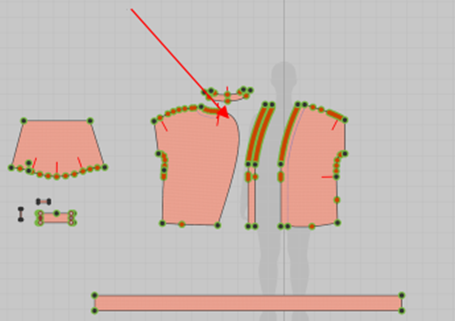
thank you very much! When i am trying to delete or change the segment points into curve points i am losing my pattern. It look like these (red arrow):
But i tried it for every segment point - and it didn´t help to open the next size. Is there maybe another way to open the graded pattern from size 34 - 44 (german size?)
can you see on the picture which segment points are causing problems?
Thank you very much!
Regina
 0
0 -
reginaschmidt2601 We have opened a ticket for your query, please check your email inbox.
0
Comments