Graphics on 3D model with no 2D pieces?

Hello,
I'm new to CLO (and new to 3D), and please bear with me.
From one of the 3D sites I downloaded a basketball jersey model. The model can be imported into CLO with no problem; the author has made the model look very nice with the jersey tucked inside the pant, with wrinkles and shading.
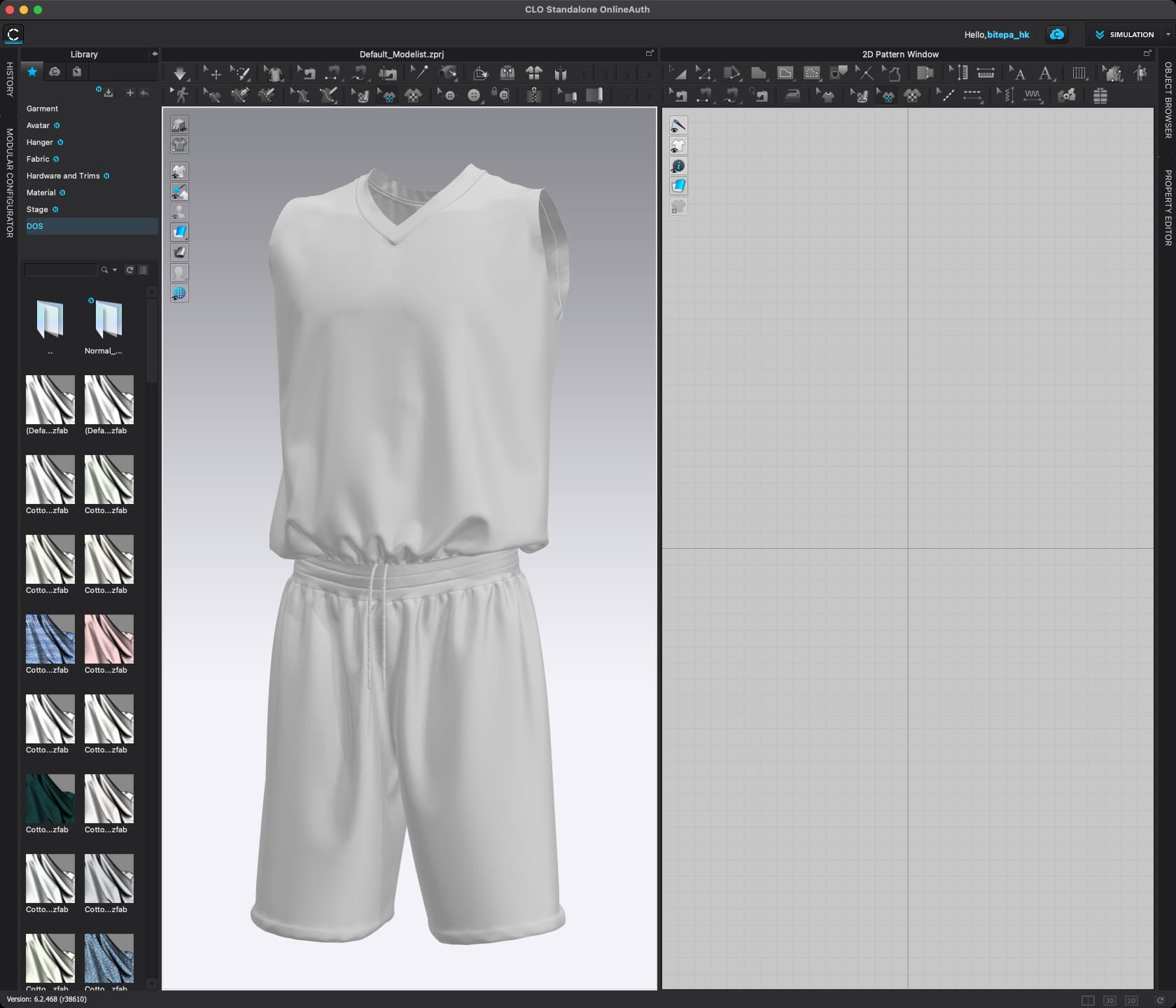
After I import this 3D model into CLO, I want to use the Graphics (3D pattern) button to place a graphic on top of the jersey (not the pant). I can select the graphic, but the graphic won't show up in the jersey, even though Thick Textured Surface is turned on (I read from the forum that I may need to turn this on).
If I must build this 3D model from 2D pieces, then I have another problem...

I don't know how to make jersey tucked inside the pant...can this be done in CLO? How?
PS: after further soul searching, I found a post which should explain how to do the second task. https://support.clo3d.com/hc/en-us/community/posts/360000993947-Put-shirt-inside-pants
-
Hi i_am_bitepa. You will need to make the pattern from 2D pattern pieces. The model you brought in acts more like an avatar and not a garment. The graphics must be applied to pattern pieces/garments. We have a Youtube beginnner series HERE. which will teach you all about how CLO works from creating patterns/arranging them in 2D and 3D/sewing and more.
For tucking in a shirt this is very possible and easy. It is covered in the beginner series, but also can be found in this video HERE
Also, if you are looking for garments/patterns that can be purchased you can go to the CLO Connect store (many items are also free!)
Hope this helps!
0
Comments