IMPORTING AVATAR

I have received several avatars from a company through CloSet....
I am not seeing these avatars in my Clo and I am unsure how to 'import' them into my Clo for use. Can anyone help instruct me how to do this?
0
-
Official comment
Hi tcaluai,
once you´ve got invited into the workroom of the company you can save the avatars individually one by one through the download button if they gave you the editing rights. See screenshot below:
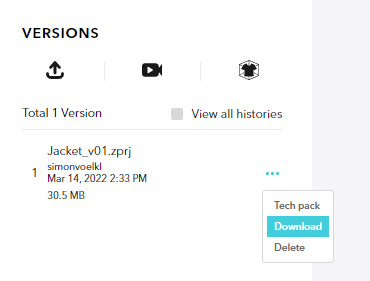
Afterwards simply import them through File > Add > Avatar or File > Import > FBX / OBJ
Alternatively you can also connect you CLO-SET account directly with CLO3D.
Just switch from inside the library into the CLO-SET section and add a new account:
I hope this helps,your CLO Team
Comments