Pattern is highlighted in different colour

Hi, I downloaded part of this pattern, and now some is highlighted in brown colour. How do I remove it and make everything black?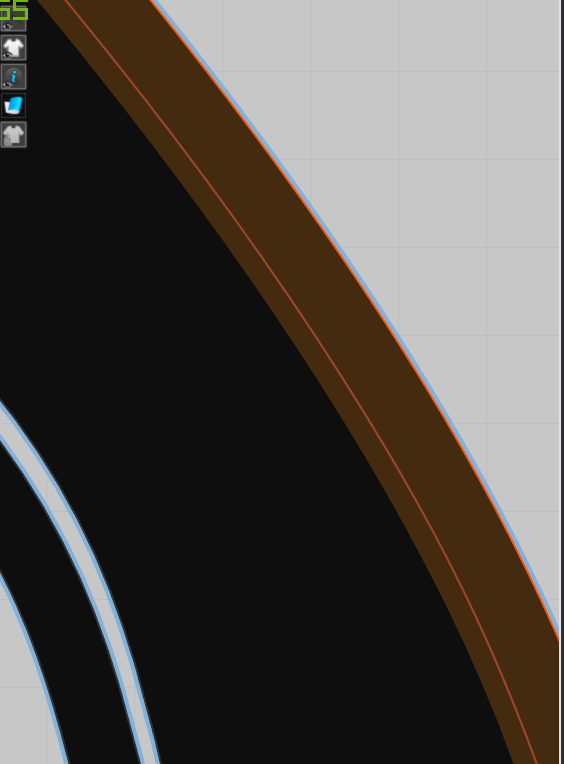
0
-
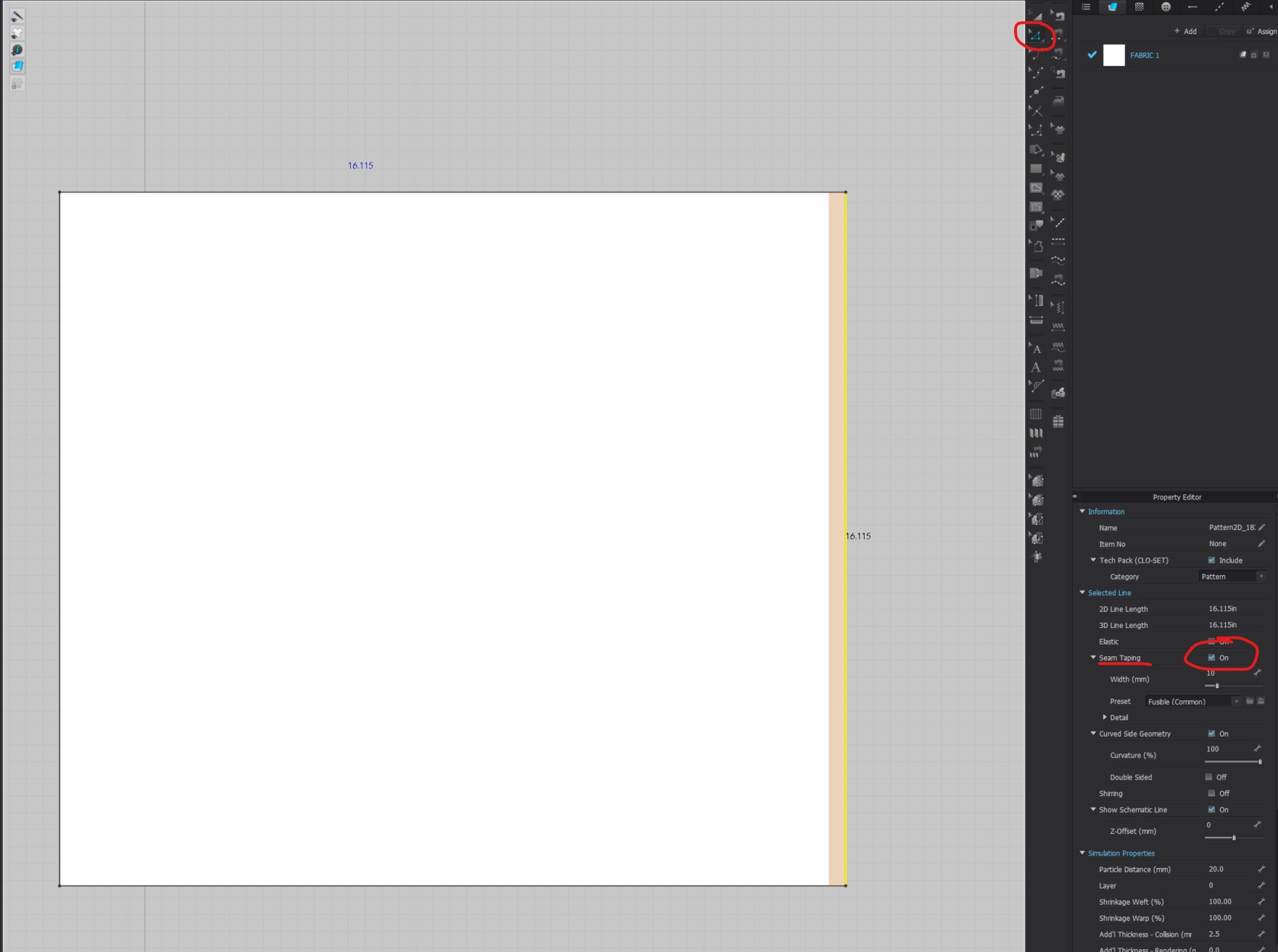
Hi jarchez. It looks like that pattern edge has Seam Taping Turned on. You can either visually turn off the ability to see the seam taping in the 3D window by going to your 3D toggle and turning off Bond/Skive
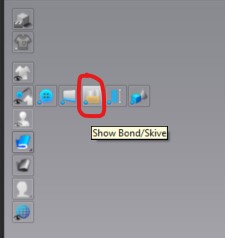
Or you can completely remove the Seam Tape in the Property Editor.
Select the pattern edge using the Edit Pattern Tool > Go to the Property Editor > Turn off Seam Taping
We hope this Helps!
0
Comments