Grading not following the numbers and axis

Hi.
I really need help with getting the grading correct asap, to get production going. I need it done this week :/
The grading is not following the negative/positive directions of the axis.
When I try to change the numbers in offset - sometimes the colored lines move - sometimes they move incorrectly - and sometimes nothing happens.
I've been trying for a few hours, but it doesn't seem to work.
Hope you can help!... or is it a bug and I need to use another software program? (FYI i updated Clo today, so software up to date)
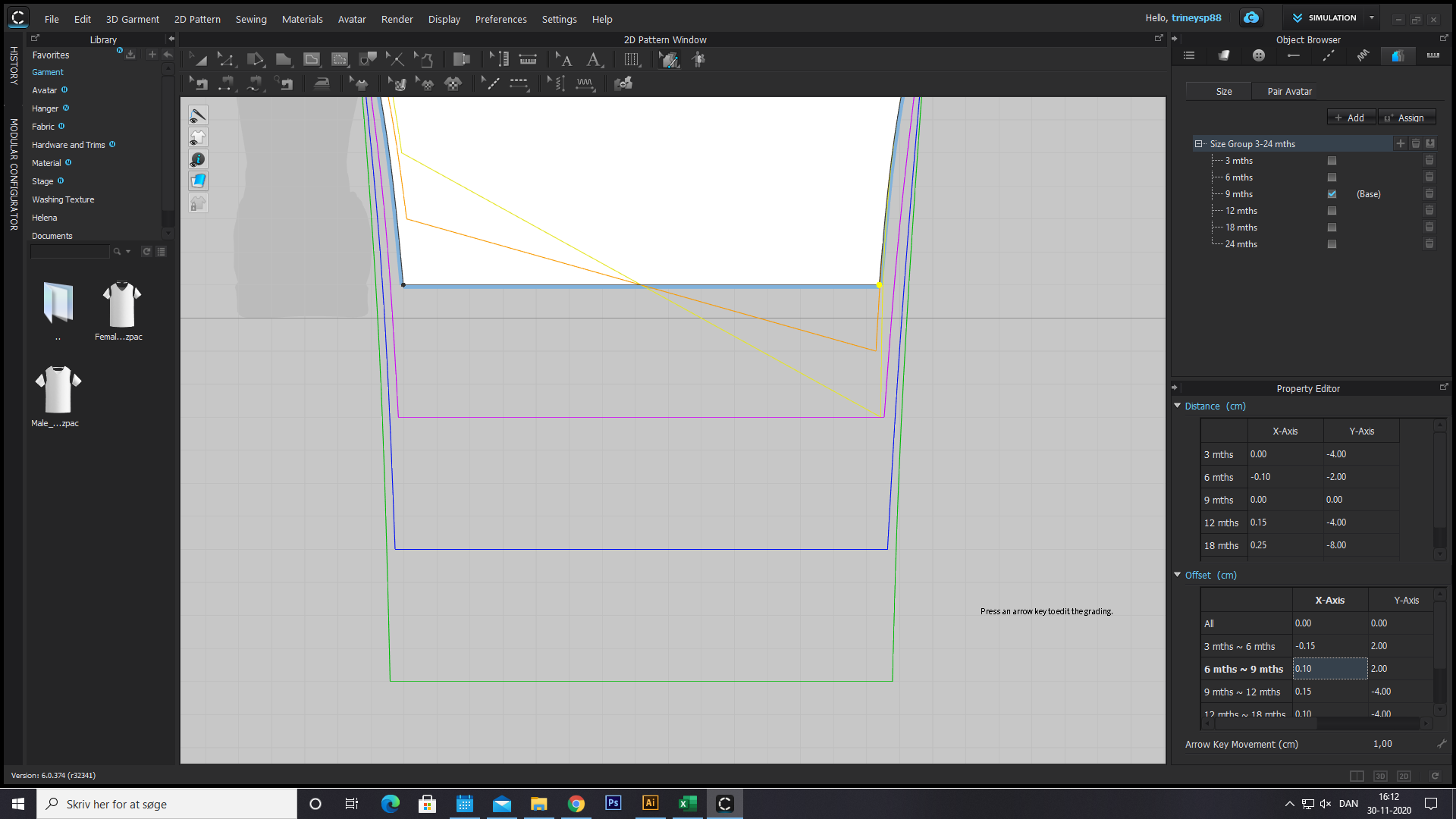
-
in this screenshot I only changed one x-axis value to negative again and the orange colored line jumps to the correct placement in the Y-AXIS ? even if i haven't changed the y-axis and it should be correct in the first place?
I don't understand how it's behaving.
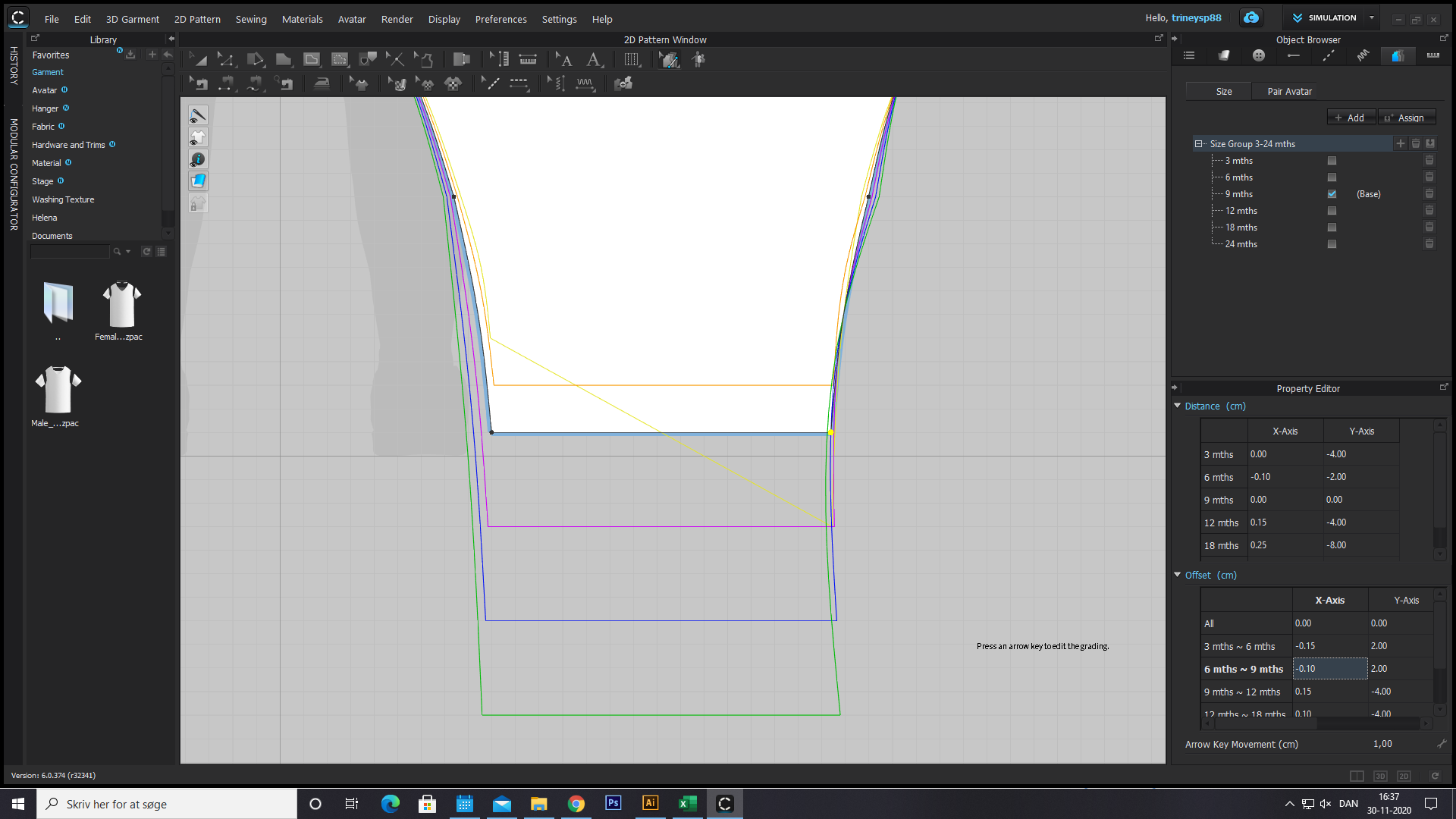 0
0 -
then when I click out and on the point again the yellow line has suddenly changed the value in the y-axis. and the orange has a negative value in the y-axis
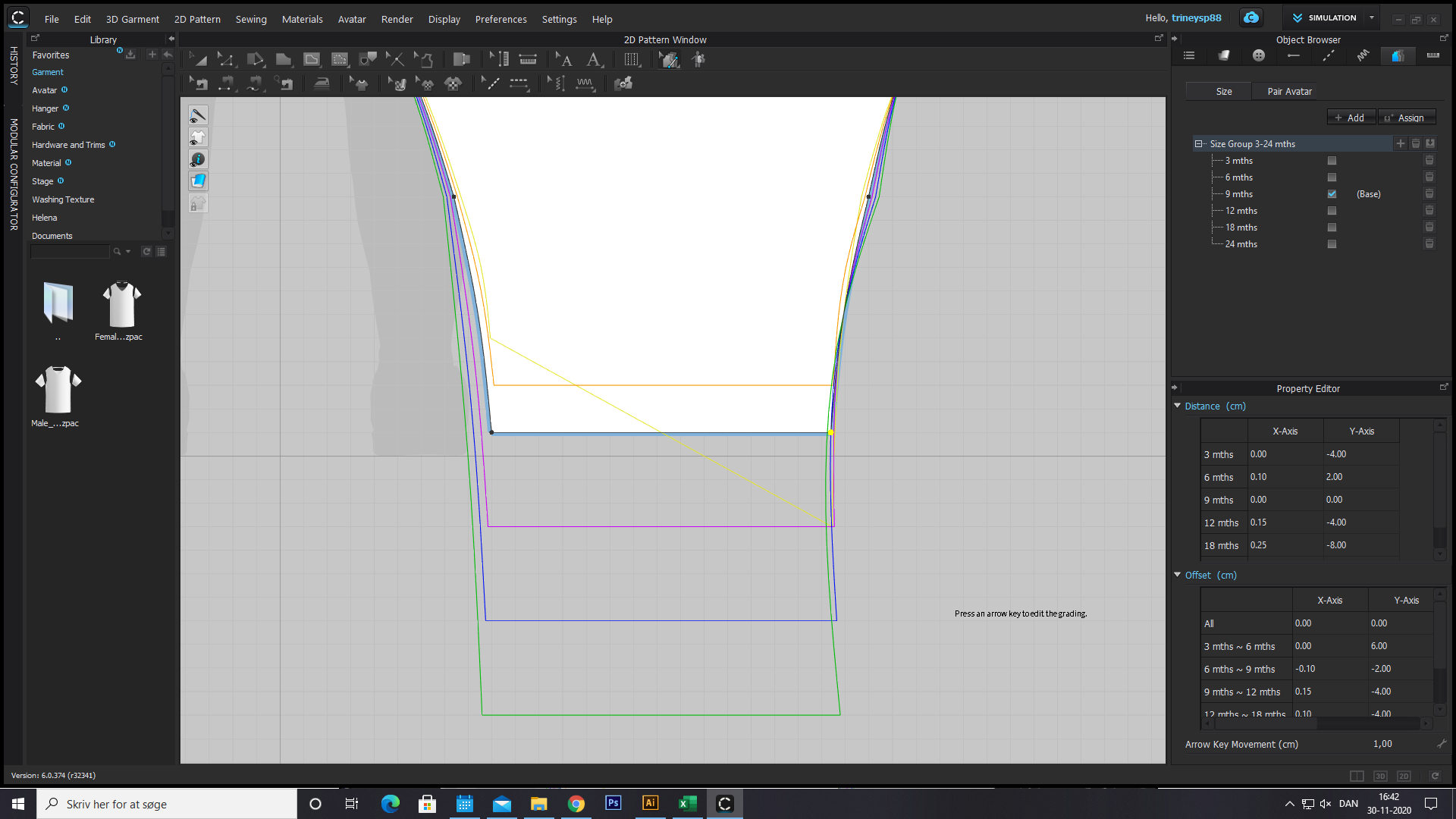 0
0 -
I also have a problem with copying and flipping the grading.
The graded lines between the points dont follow: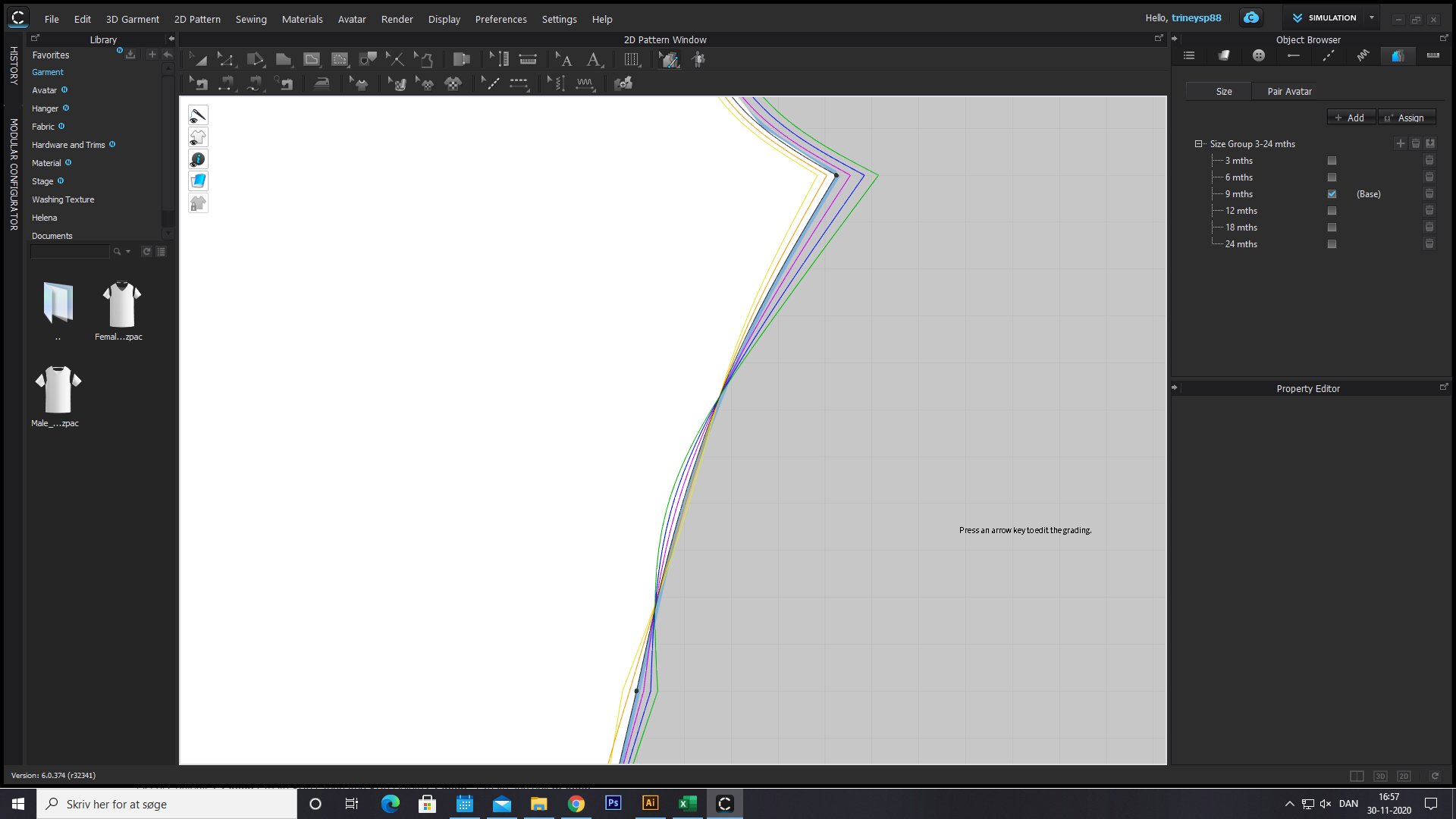 0
0
Comments