Add Graphic to Fur

Hello!
I'm trying to adda a lettering graphic in a garment of FUR ANGORA, but when I go to render, the graphic does not appear even if I select the fur (render only) material for the graphic.
It either appears as a rectangle or doesn't appear at all.
I have tried using png and jpg with background and png without background. But still having the same problem.
Can someone help me??
Thank you very much in advance!
-
Yes, it is, the graphics are nothing more than a layer of polygons on top. If you want to color the fur in the form of your graphics, you need to apply a texture to all the material for the fur. Look at the YouTube channel there are many lessons on fur.
Did you hear something about the UV? Perhaps this will come in handy.
0 -
Alepan, show us what you have so we can better help you.
P
0 -
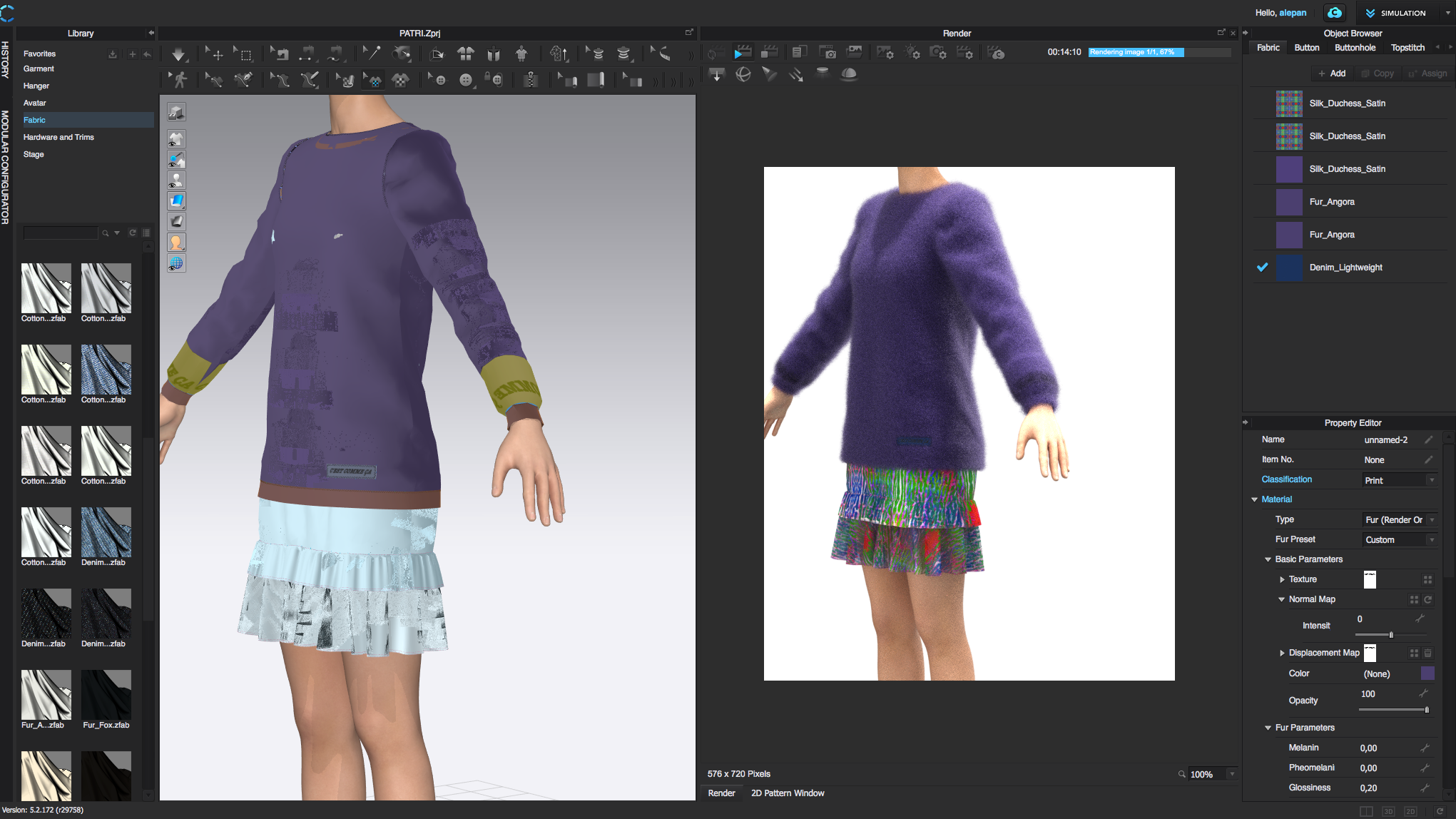
This is what is currently happening to me.I place the graphic on the sleeves and set the presets.The graphic is visible in the 3D window,but in the rendering itis not defines, it looks like a "stain". I have tried reducing the length of the fur to check if it was because of this, but I still finish with the same result. What could I do so the graphic is readable once the garment is rendered?
I have tried looking at videos in youtube, the graphic lessons that CLO has made, but still, when using fur, I cannot manage to make it. How should I proceed?
Thank you very much for your help!
0 -
Alepan, first of all I see that you have a map for displacement there too. I'm not sure why you have it, but displacement is different than fur/hair, so I will get rid of that.
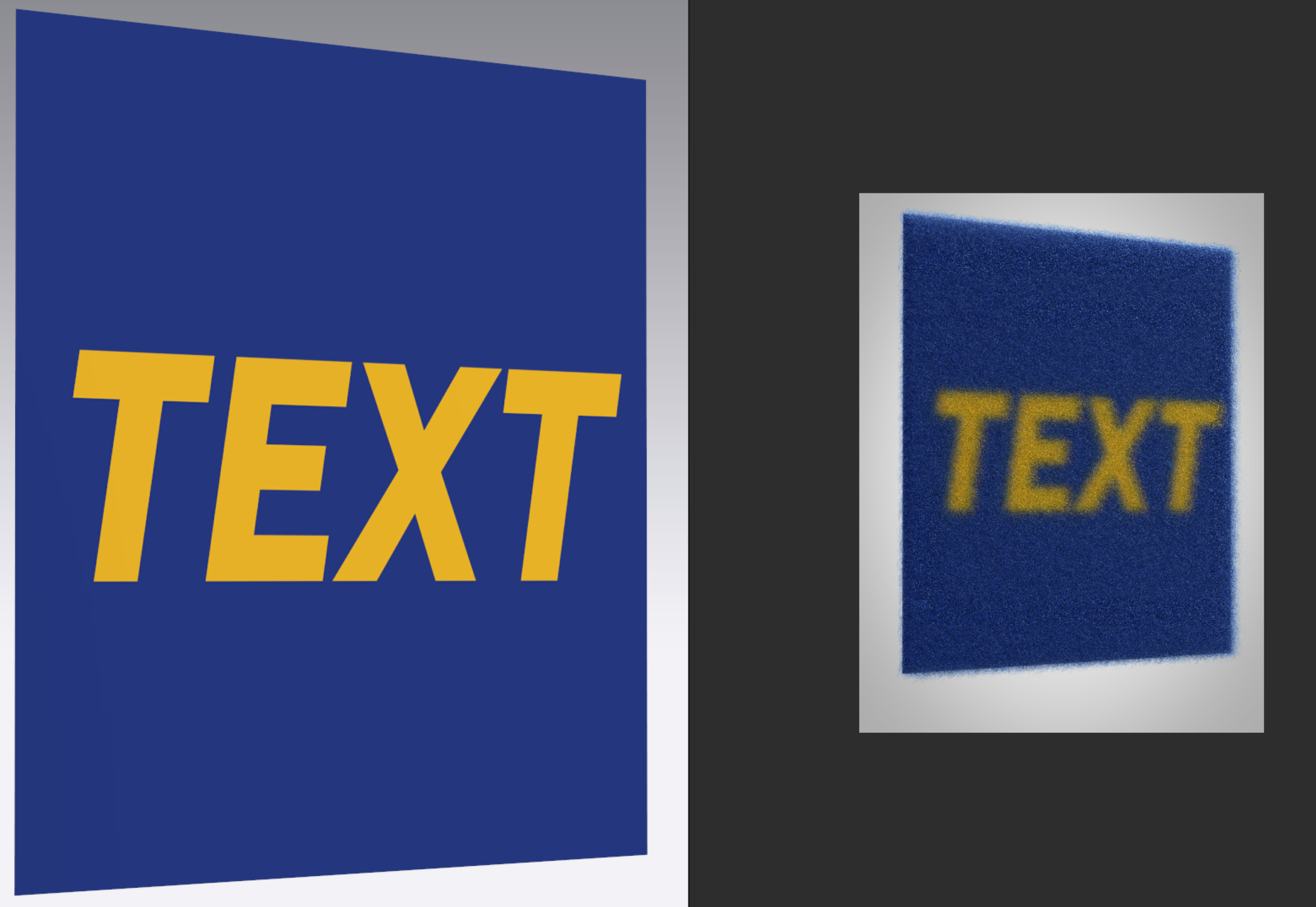
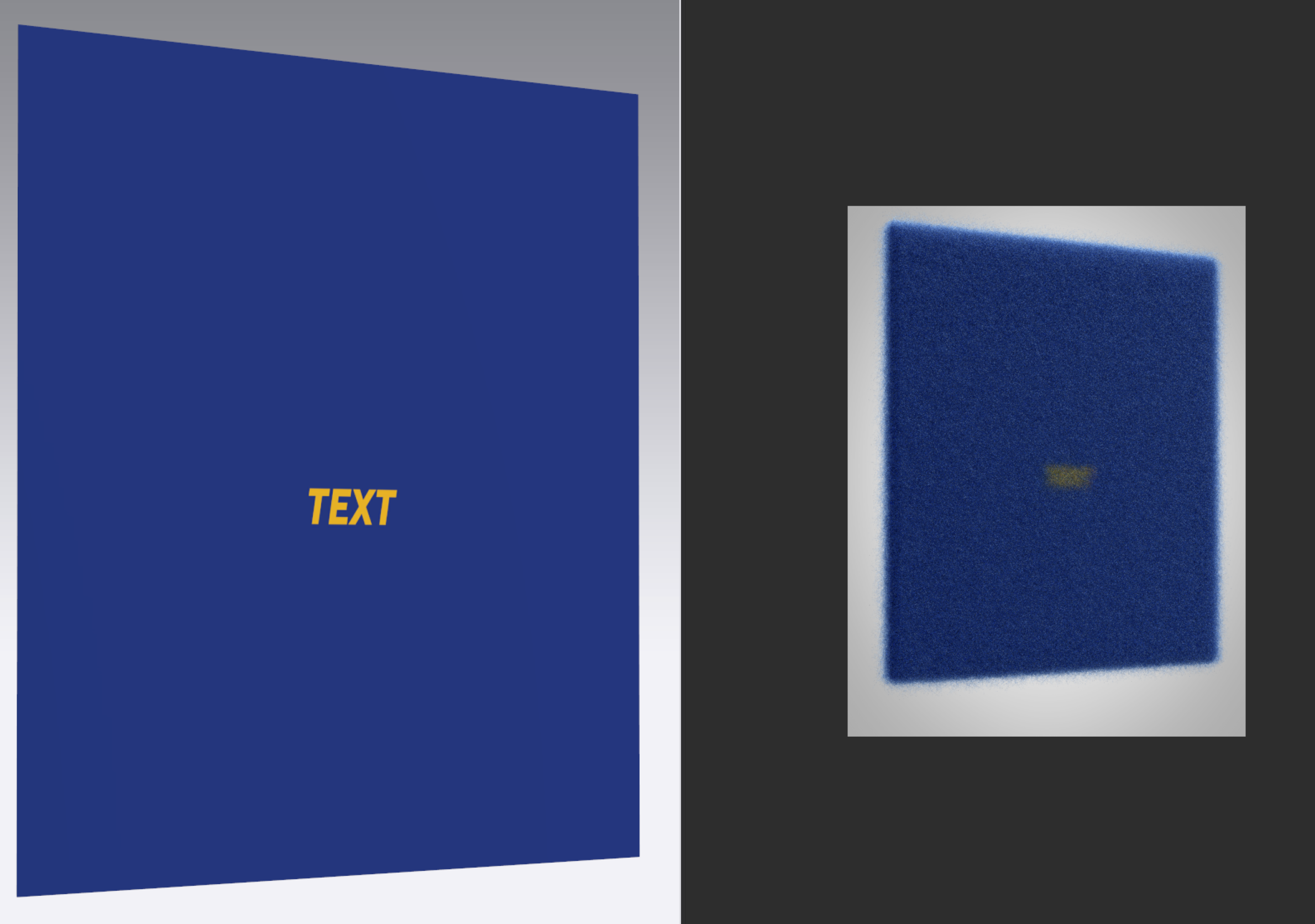
Second, I believe the issue is that there is not enough density in the fur to show enough definition of the fur strands for the color of the text. See below my tests. If you use large enough text the you can get the desired effect. If you use smaller text then there is not enough fur strands to define the text shape. Maybe you can add the text post-processing the image in Photoshop.
 0
0 -
Hello Pablo,
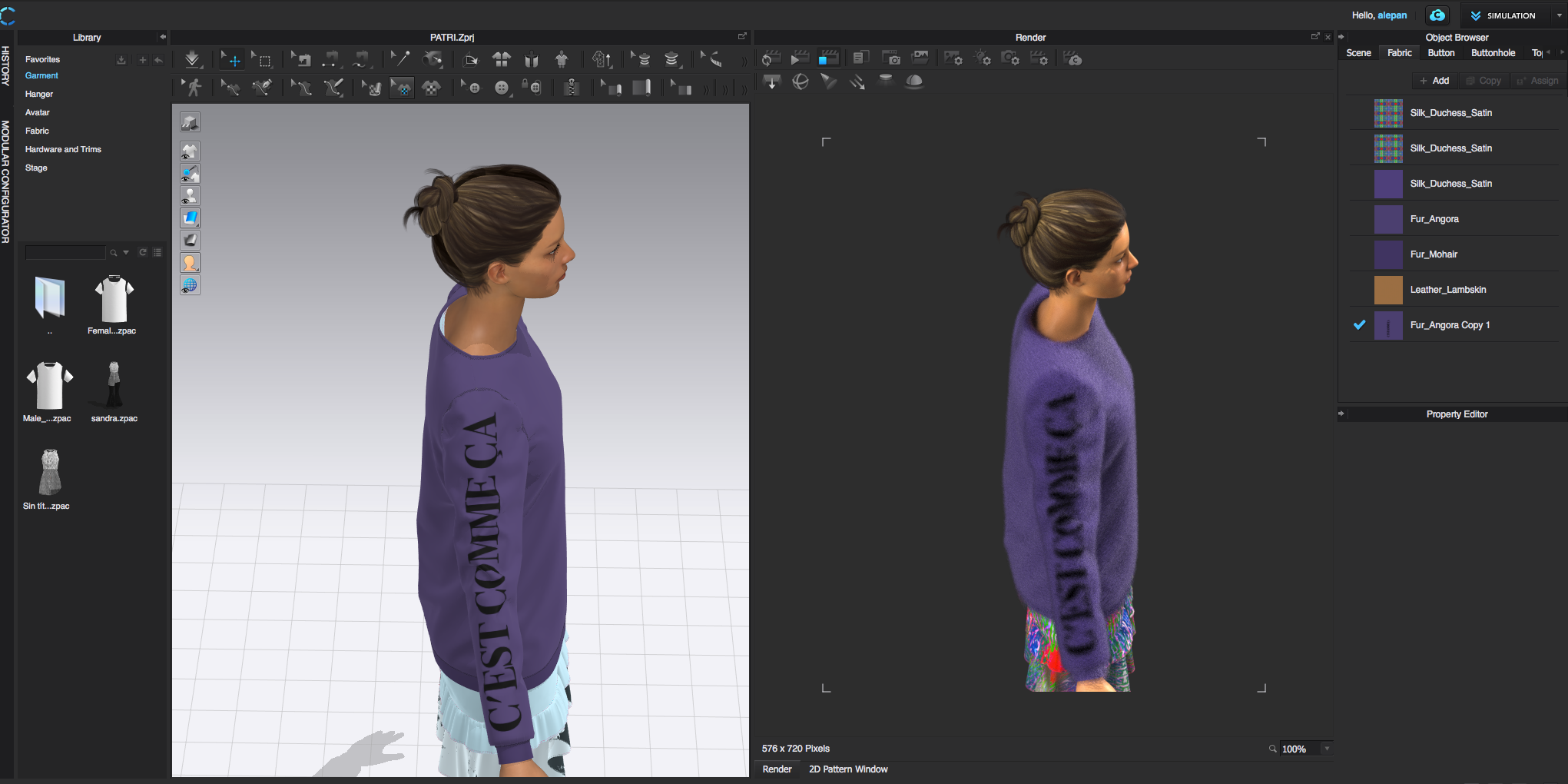
I have finally managed to do it, you were right, I had to add more density to the fabric, and changed my lettering to a bolder style and bigger. Therefore the graphic is now visible during rendering.
Thank you very much for your help!
 0
0
Comments