Garment clipping through itself?

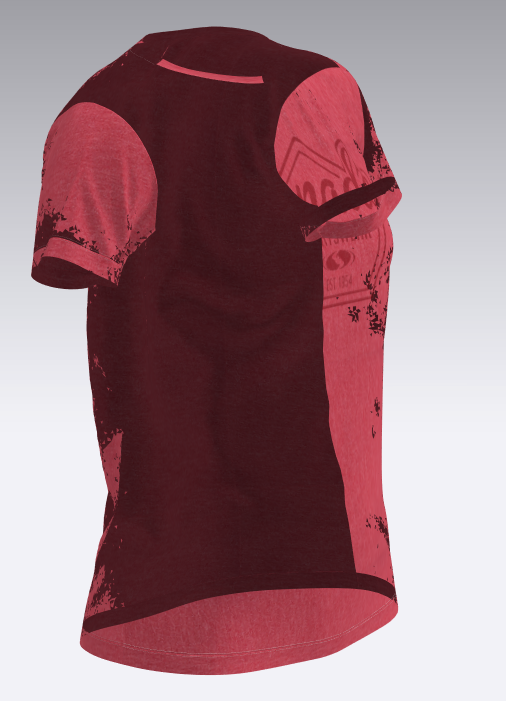
I really have no idea what is causing the garment to look like this. It happens when I use a .jpg for the texture that I saved off my computer. It renders correctly, but the 3d garment view is extremely buggy. Does anyone know how to fix this?
-
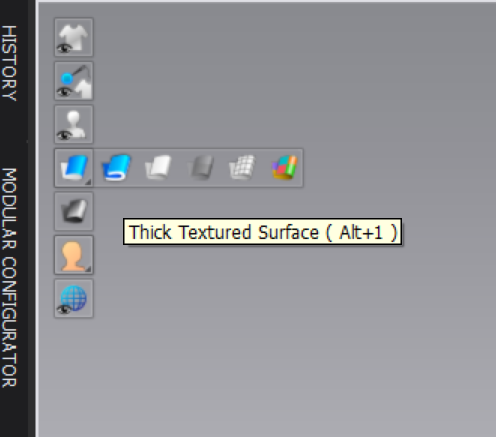
Make sure you are really using JPEG, as it looks like transparency from the PNGs. Also, turn on the Thick Textured Surface and make sure you don't have the normals flipped. This last thing means that the right side of the fabric is always looking to the outside. While in Textured Surface (previously called Thin Textured Surface) you can see the wrong side of the fabric as darker than the right side. Kind of what it looks like here in the darker red.
 0
0 -
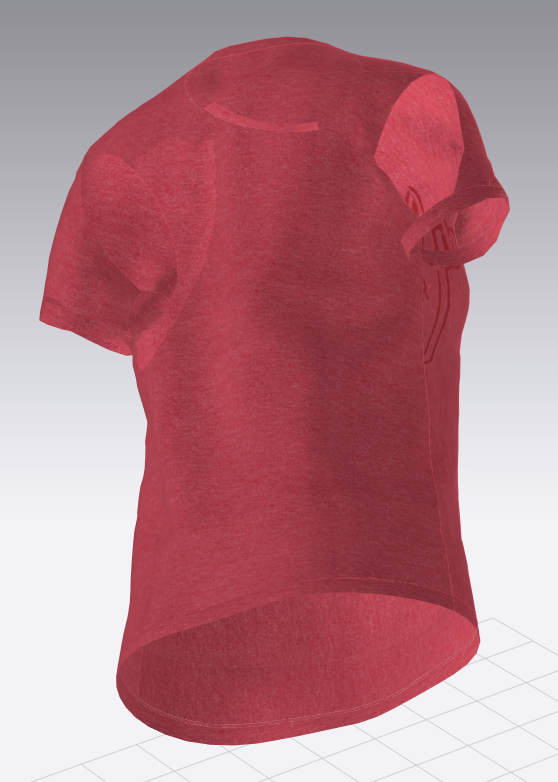
Okay, thank you. I tried applying those settings and making sure I'm using a .jpg, but the problem still persists, just the darker parts are lighter now.
 0
0 -
So definitely you have normals flipped on some of the pieces, for that go again to Textured Surface (Alt+2) and everything that looks dark on the face that is supposed to be the outside of the piece, right click on it and select Flip Normals.
Secondly, check if you have the opacity of the fabric in less than 100%. This is in the Property Editor for the fabric.
Third, if the transparency persists, make sure again, your file is a JPEG and not file.jpg.png which doesn't show png when you see the file in a browser.
0 -
I tried flipping all the normals, but it didn't fix the problem. I've double checked the .jpg and it is indeed just a .jpg. Could the issue stem from an incompatible graphics card? I'm using an intel core i5 cpu, with intel HD graphics 530.
0 -
I have used CLO with an Intel HD card on an i5 CPU and doesn't show that. Try trouble shooting if you create a new fabric, blank and apply it, does it continue having the same issue. Then we could find is only a texture problem.
0 -
Oh gosh, making a new fabric fixed it! I don't know what was wrong with the default fabric, but this new one works fine. Thank you very much for your help!
0 -
perhaps the opacity of the fabric was turned on. less than 100
0
Comments