Creating Pleats

I am working with the latest version of the software and the Pleats Fold tool is giving me some trouble. Regardless of the TYPE of pleat I choose, it only gives me the option to have 2 or 3 inner folds. Both Knife pleats & Accordion pleats only have a single inner fold. Am I missing something?
-
Hi elearningnysd. Can you post some images to explain what is the problem?
We can be better able to help with more info.
P
0 -
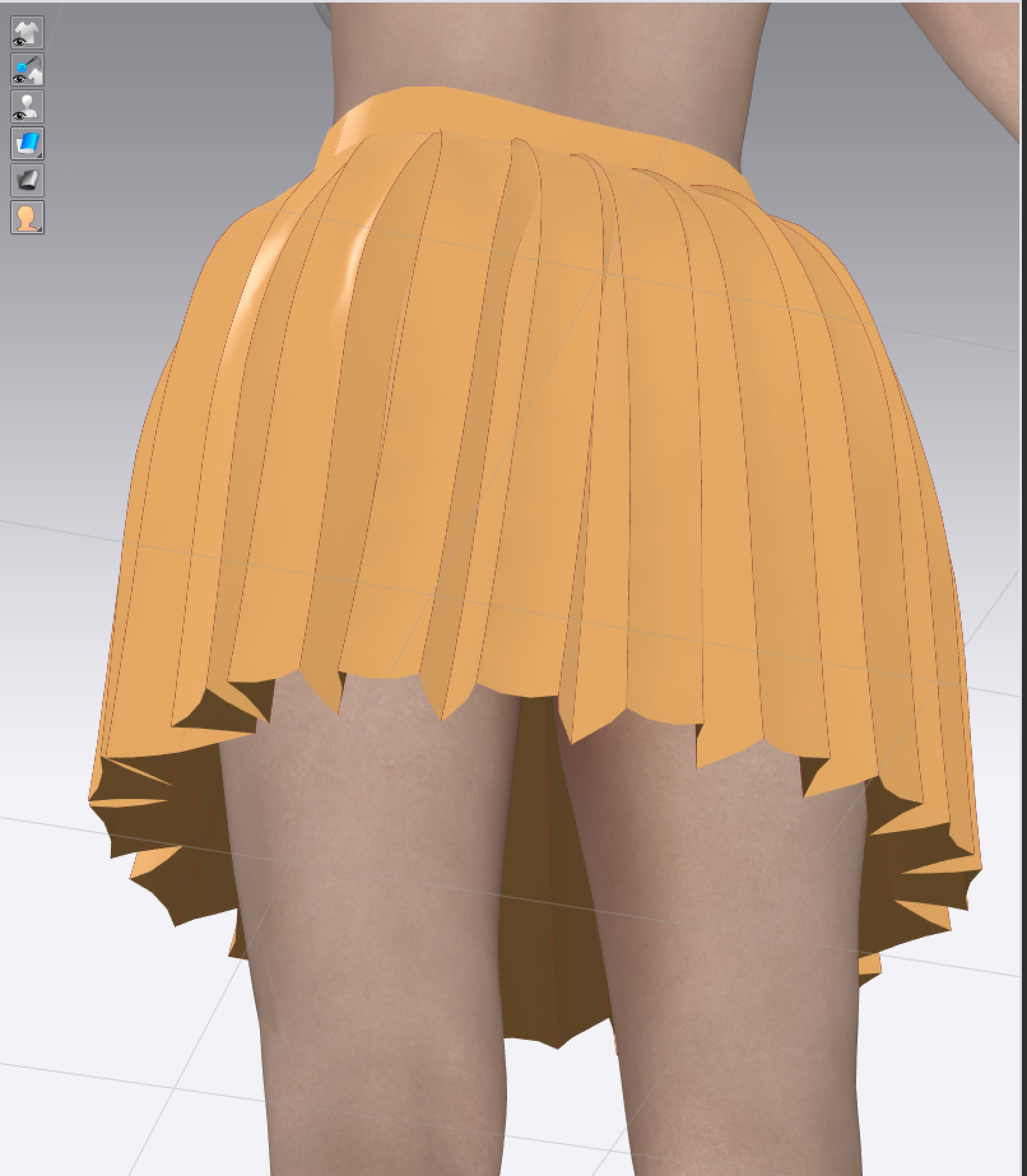
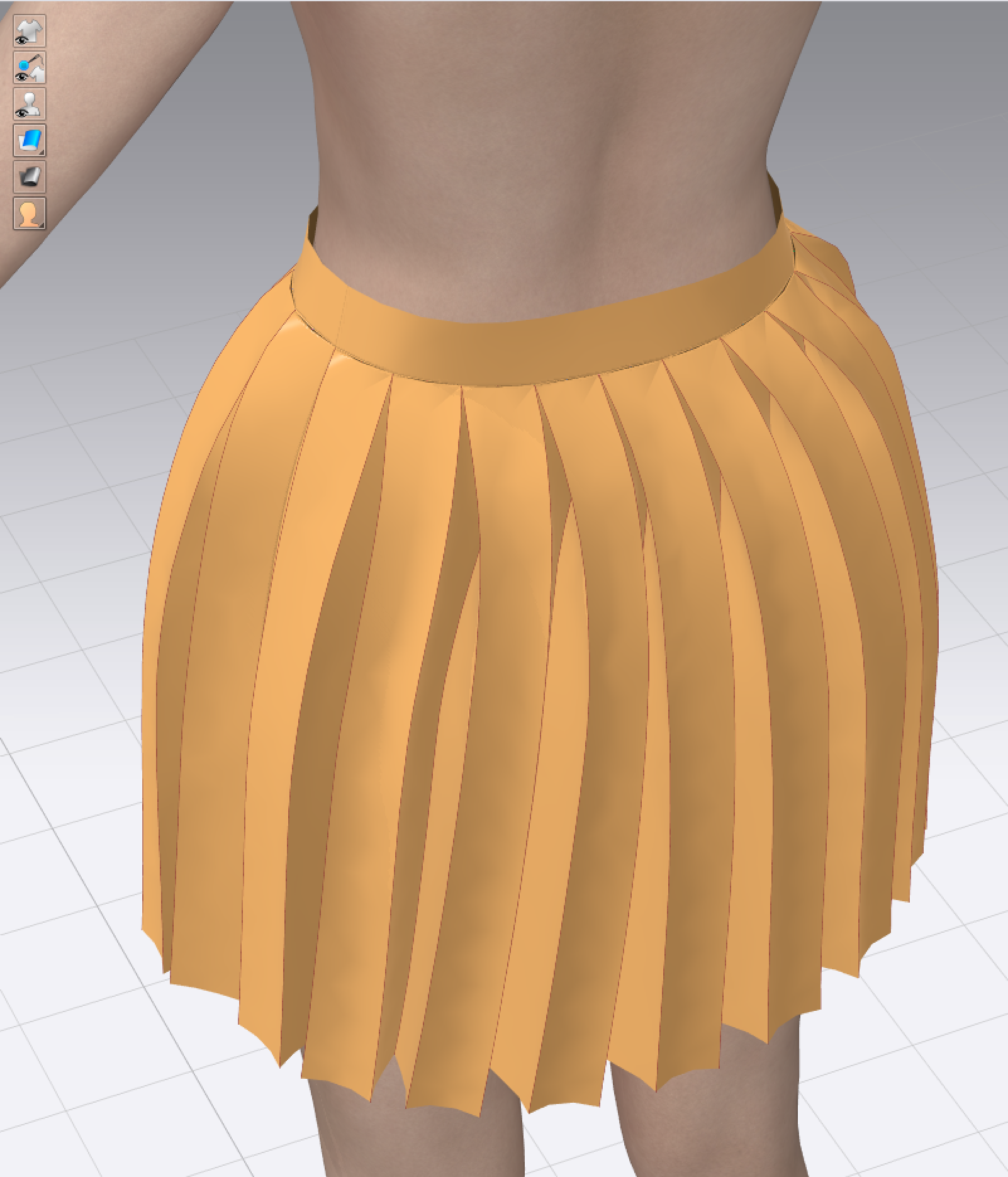
The ones still Stregthened are the Box Pleats... the other 2 I selected Knife Pleats and Unstrenthened.

 0
0 -
I'm sorry, I fail to see where the issue is. I personally don't use this tool too much. Can you explain what is not working. I hope someone with more experience in the tool can help us understand.
P
0 -
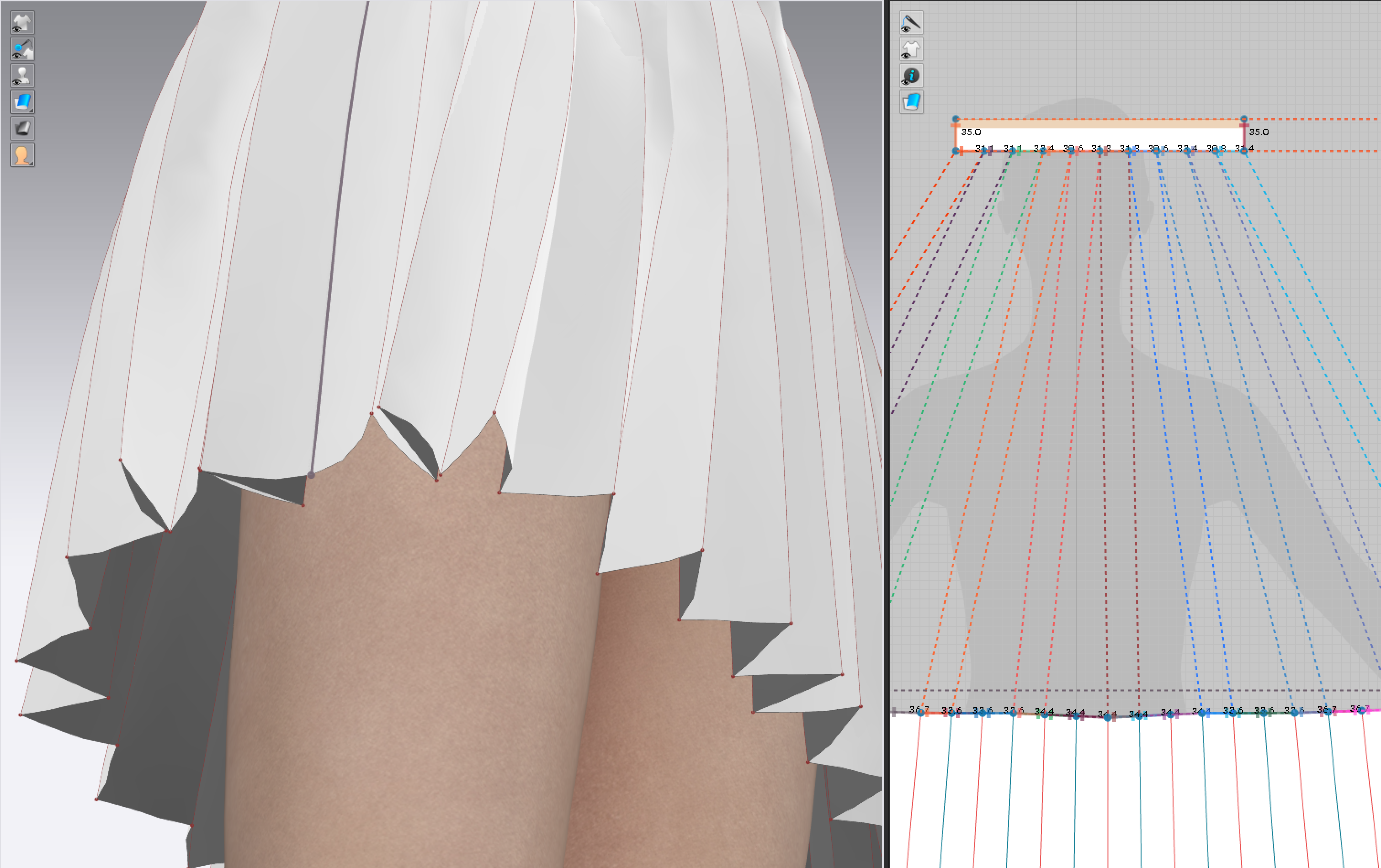
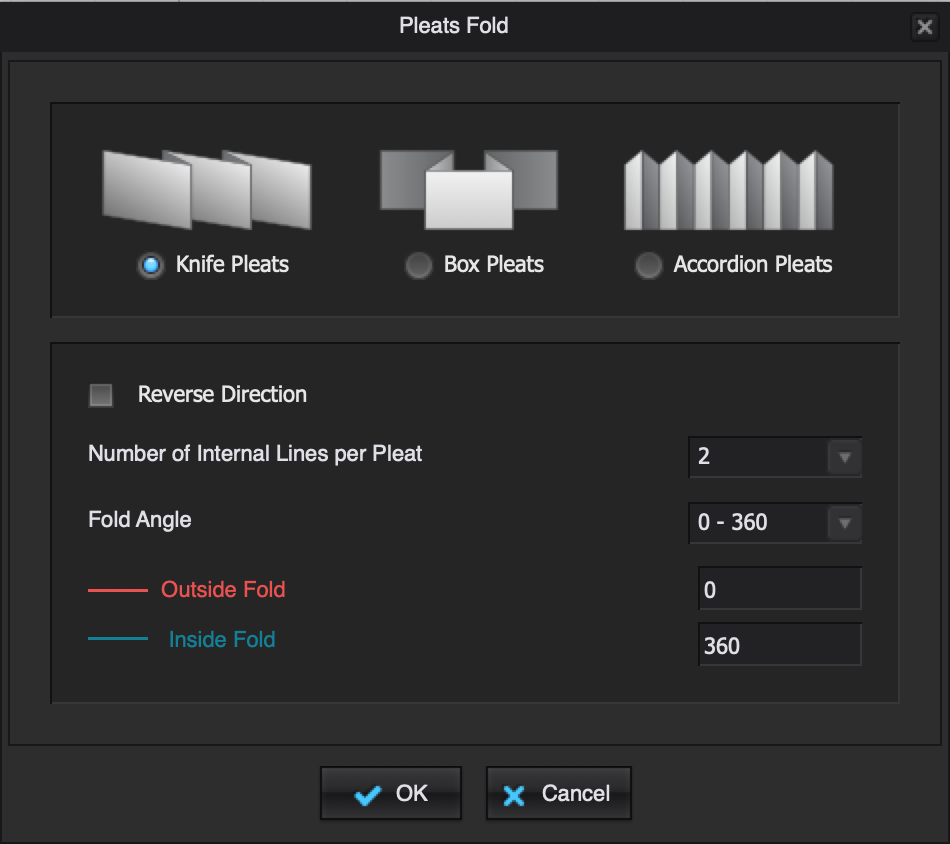
First if you look at the options screen, the visual gives you an idea of what the pleat should look like. The box pleat is fine as it has 2 inner folds. The white skirt I initially sent is the KNIFE pleat option, but it does not resemble the visual from the option screen, and it should have a single inner fold. It LOOKS like the accordion pleat at the bottom, but the waist is not correct. Within the option box there is not an option to make just a single inner fold. Knife Pleats and Accordion Pleats BOTH have only 1 inner fold... whether done here or sewn with actual fabric.
 0
0 -
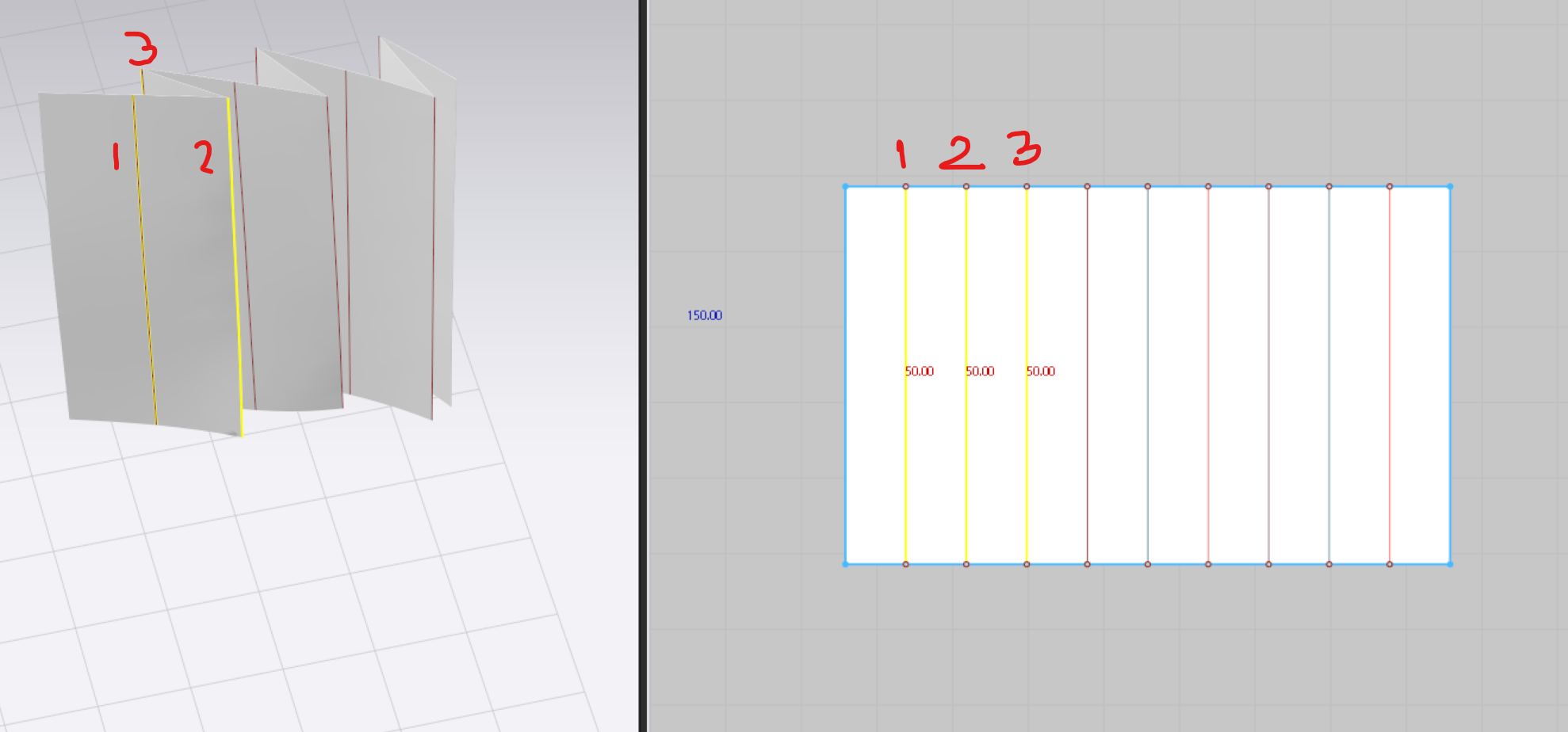
Hello again elearningnysd. I finally understood what is the confusion with the terms. When talking about internal lines, CLO is not referring to the lines that fold at 0 degrees or "inward". CLO refers to all lines that are drawn internally in the piece.
For the desired effect, you have to select 3 as the Number of Internal Lines per Pleat. That way you will have 1. 180°, 2. 360° and 3. 0°. Check the images below:
 0
0 -
Ok. I did not see that in the online lesson.
0
Comments