Why my clothes are turning and glitching


Hello
My clothes should look like this
I already made white one and It works without any problem
But when I made black one with same process, (Make patern on Illustrator and do same clo working process) My clothes start turning around models body and make wierd movement
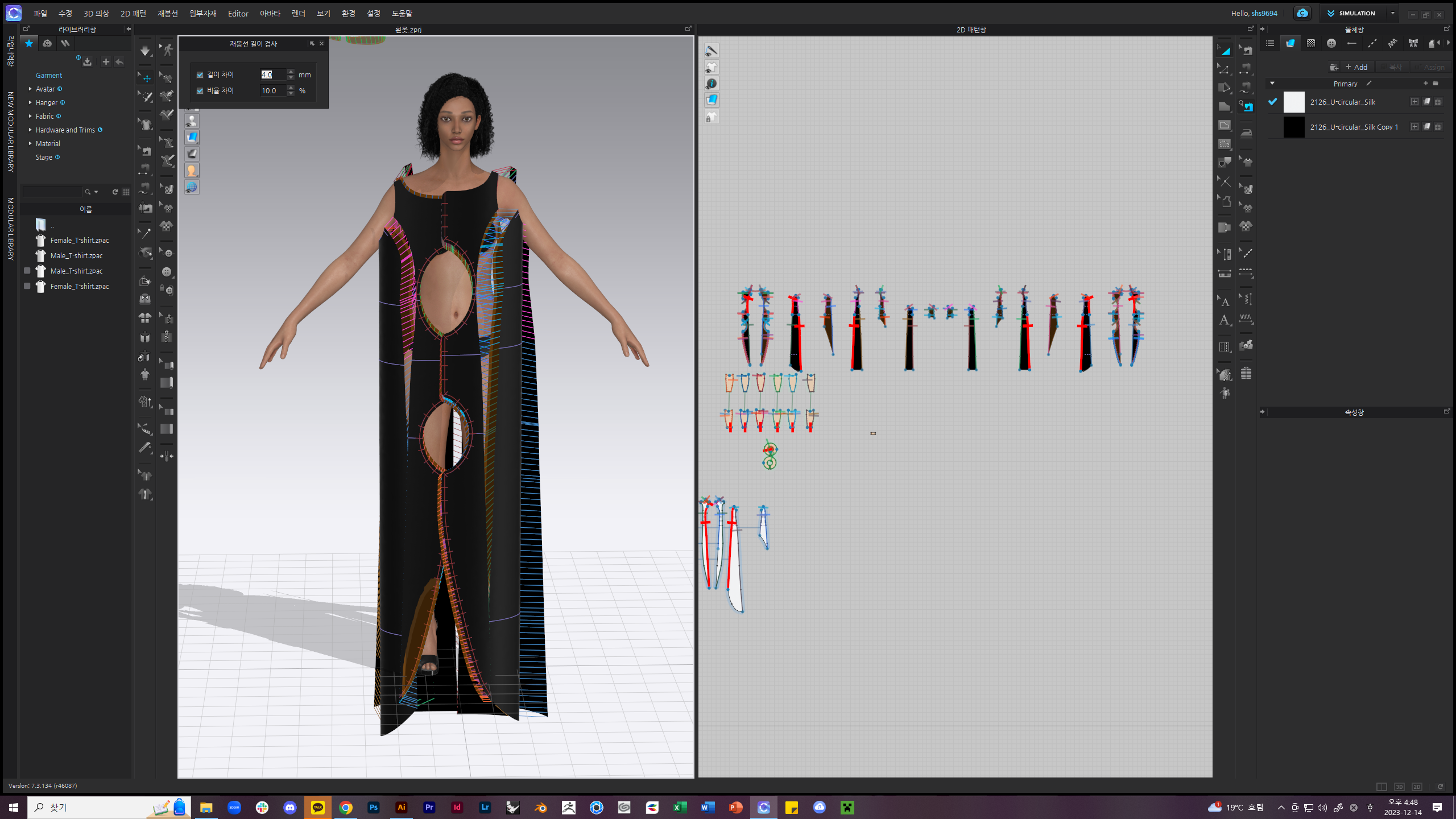
This is original pattern (I already used it when I make real clothes)
(I know the seamline differences on 2D windows and I already changed and fixed it but It didnt make any differences)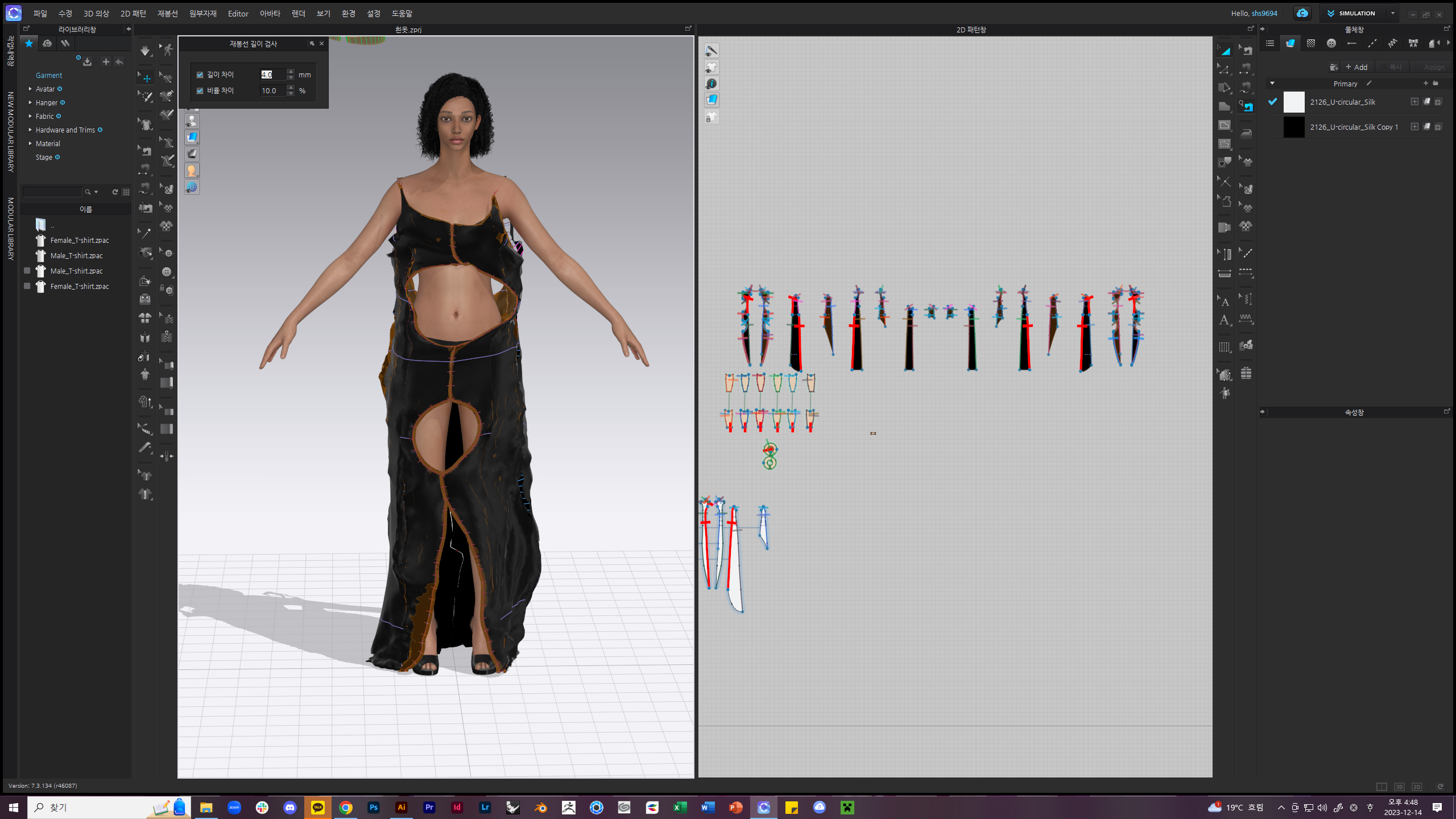
But when I start simulation,It makes wierd movement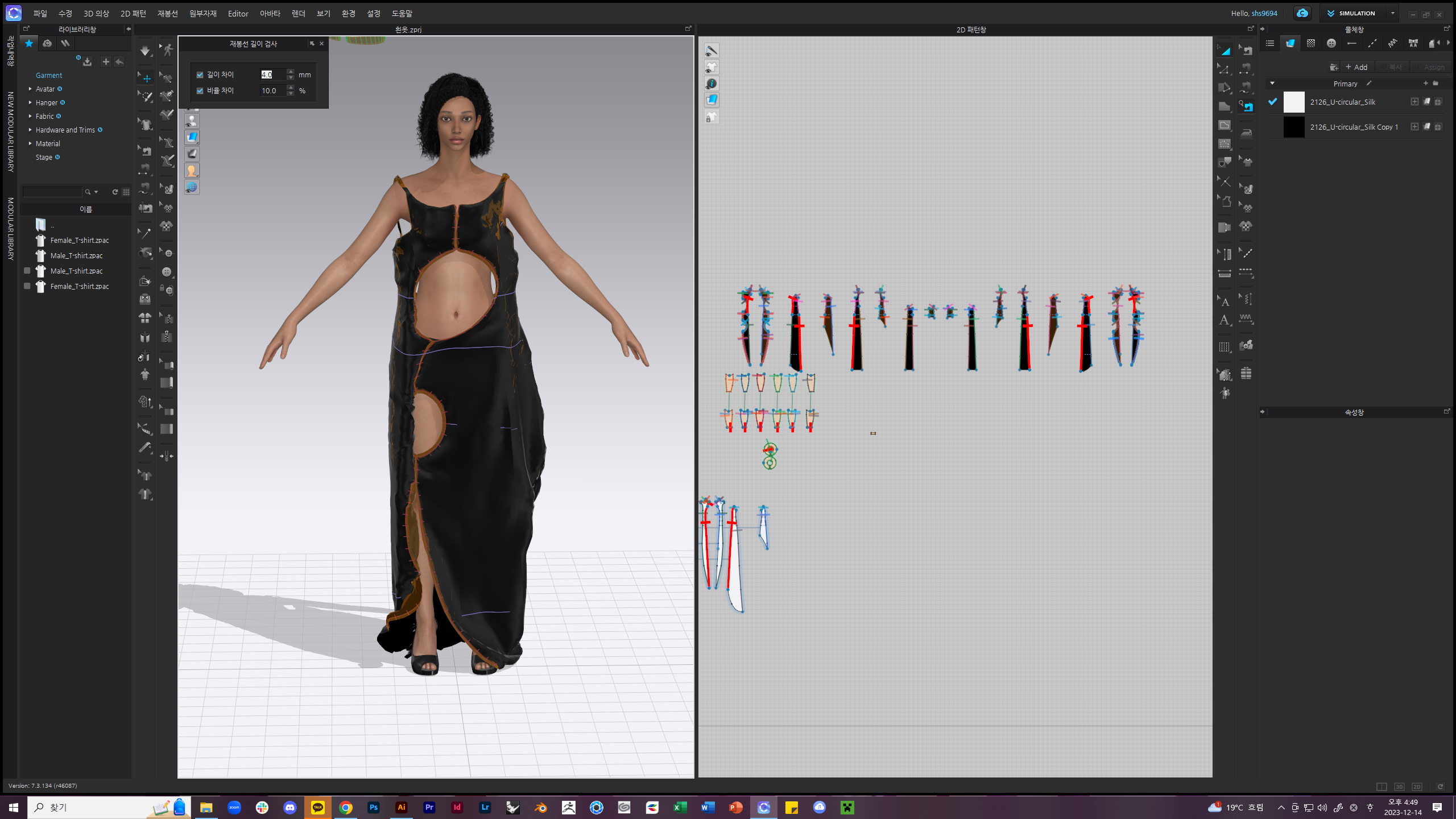
And start to turning around like this
I checked every glitching spot, but I couldnt find any solution
I want to know why and how to fix it
Please give me the answer
-
It is hard to tell from afar, but from what I can discern the main issue seems to arise from this spot:
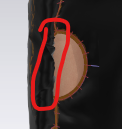
Is it correct that you have two layers of pattern pieces overlaying each other? If yes, I think this part is colliding into itself. Best practice:
- Initially build and simulate garments in the Default Fabric and only apply the final fabric after the garment is stable.
- For standard-adult-sized garments, work in a particle distance of 20 until the garment is stable.
- Build layers separately from one another and layer them over each other in an additional second step.
- Pattern piece arrangement before simulation doesn't look symmetrically placed, which is working against the garment's favor when it comes to correct drape.
- If there's indeed two layers on top of each other, when connecting them from edge to edge, set the Sewing Line Type to Turned so that they lie flat on top of each other instead of building up a puffy look.
- You can also try strengthening the pattern pieces temporarily to see if the part I have circled in red might calm down and smooth itself out.
0
Comments