Quality of Size Editable avatar

Is there any good advice how to achieve a better quality of Size Editable avatar when Auto Converting from obj? Most of the time I get Size Editable, it is not possible to use because of multiple error. Body shape is also being changed. CLO - is there any improvement on the way?
Pls see pic. below.

-
Hi ekli,
Something that can work for trickier avatars is to first save the OBJ as an AVT, and then run that AVT file through the converter.
0 -
Hi CLO Designers,
Thank you for a good advice! I'll try this option.
0 -
Let us know how it goes!
0 -
Sure, I will :)
0 -
Hi CLO Designers
I made some test with saving obj as avatar first, and then converting obj-avatar to CLO-avatar. Unfortunately the result is not much different form how it was before:
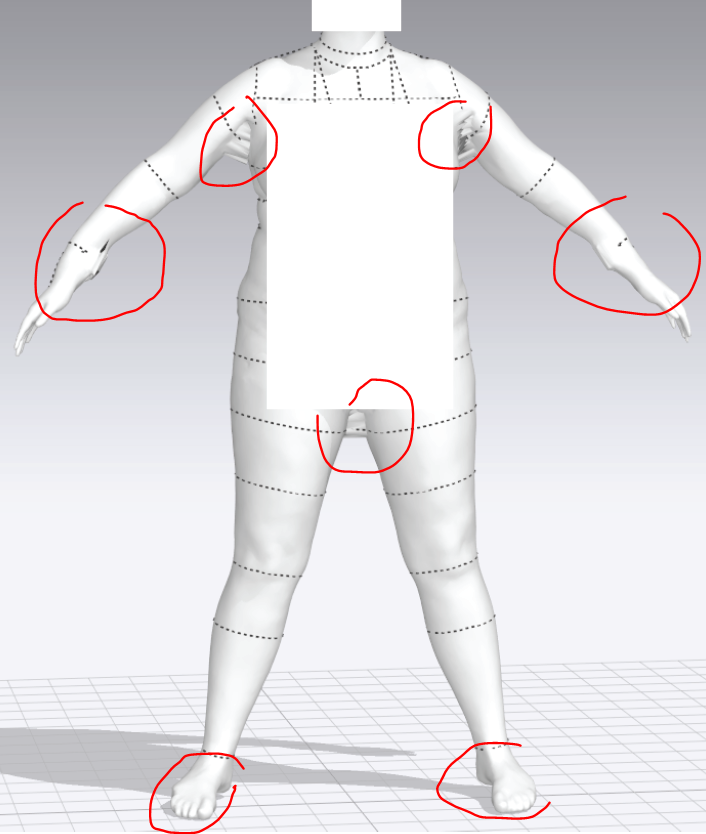 0
0 -
Hi ekli
Errors like this can occur when the mesh mesh is not ideal from the original export. The Webbing that is happening under the arms and between the legs is most likely from the mesh being joined there originally. So CLO will not know there needs to be spacing. You may want to edit the OBJ mesh and shaping in a program like Blender (it is free) before bringing it into CLO.
0 -
Hi CLO
Thank you for a good advice!
Yes, agree, if original obj pose is not exact A or T it will most likely give some webbing and twisting in ankle and wrist. But A pose is challenging for plus sizes cause under arm and between legs will be joined. Therefore we scan with leg more spread out and arms more rounded up.
I'm just wondering, why the result after converting is always better on Skin_Style and Rigging_Only and the worst in Size_Editable since original obj is the same? Meaning, mesh issue should be the same for all 3 avatars? So if CLO knows spacing for the first 2 avatars then it should know for 3rd?
But somehow Size_Editable is mostly loosing the original body shape and get webbings (and twist in wrist/ankle)?
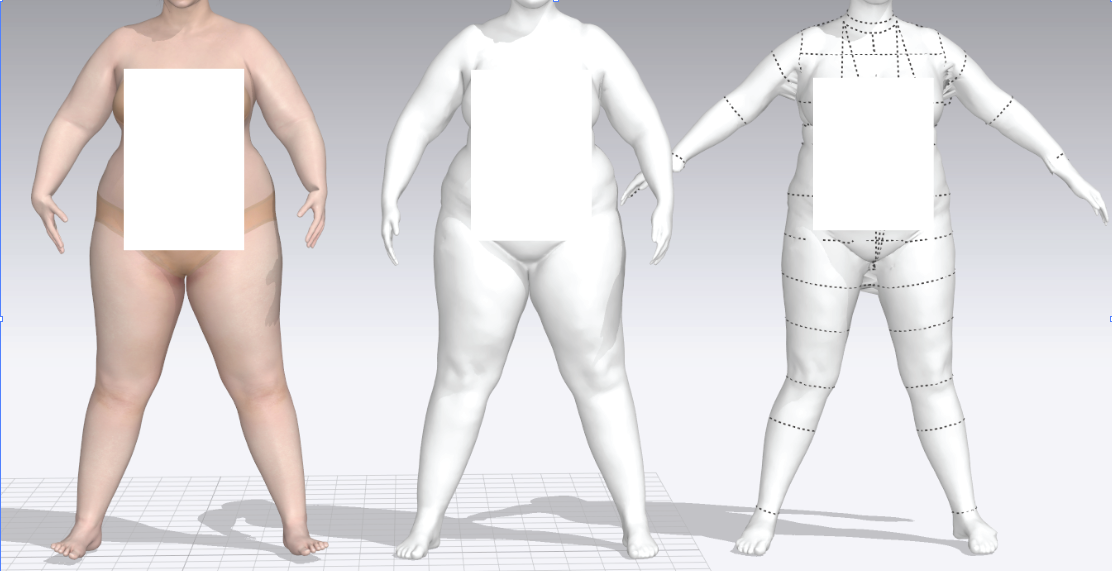 0
0 -
Besides, I have tried to cut up the body at the place where it was joined using the scanning program:
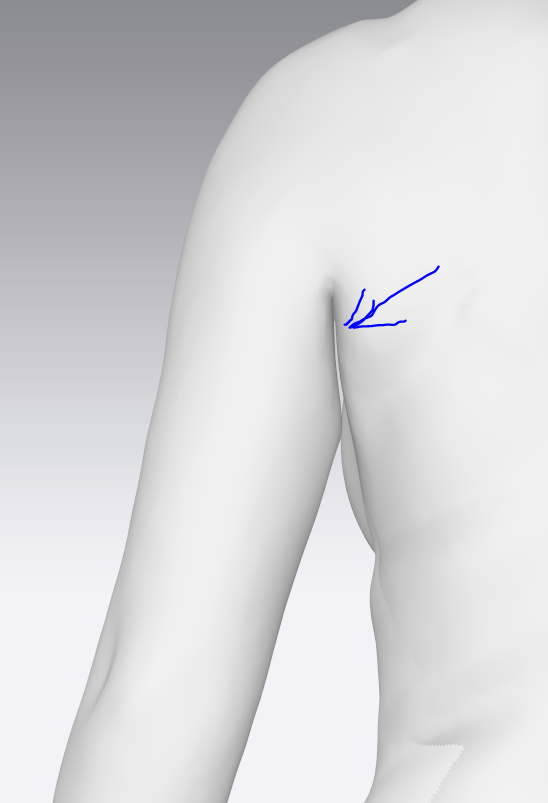
There is a space between arm and body but when I move the arm, body is being pulled up instead of getting more space at armhole:
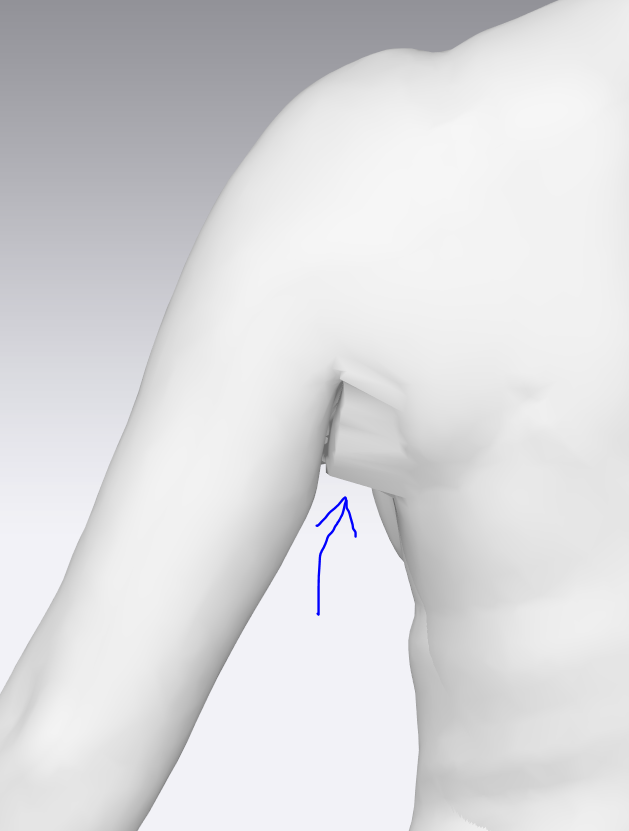
Any good advice how to solve this?
Thank you in advance !!!
0 -
Hi. So the largest issue is most likely from the avatars arms not being in the correct position to start. The Arms should NOT be rounded which is why the wrist and forearm look warped later on. If you are able to rescan the model with the arms in a straight T or A pose this will help. So that there will be plenty of spade under the arms
For the legs we do understand that with a larger size you may not be able to have the model stand feet together. This is where you may need to adjust the mesh in another program before bringing into CLO.
Otherwise we may recommend looking at the ASTM plus sizes that come with CLO and see if you can edit the size from the preset to better match your models measurements
0
Comments