From curved to flat

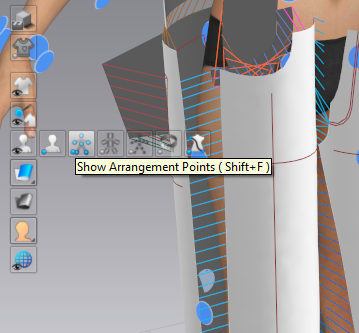
I used the show arrangement point tool
To place my pant leg on the body
But I no longer find the function to put it back completely flat
Thanks for your help
0
-
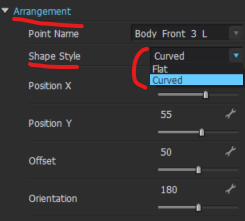
To change a pattern piece from curved to to Flat you will need to first select the pattern piece > Go to the Property Editor > Scroll down to Arrangement > Change from Curved to Flat
 0
0
Comments