!!! Question about Tools in the Toolbars

I'm really new to CLO and i've been watching some of the video tutorials on youtube but i'm having a hard time with my toolbars. Some of the tools are there but the others dont show unless i hover over little double arrows but i can never click on them when i move my mouse. not sure if that makes sense. i guess what im asking is how do i show all of my tools in the toolbars so that those double arrows aren't there anymore.
-
Hello hball5,
There are 2 settings to check to change how your toolbars display. Both can be found in Settings --> User Settings --> User interface.
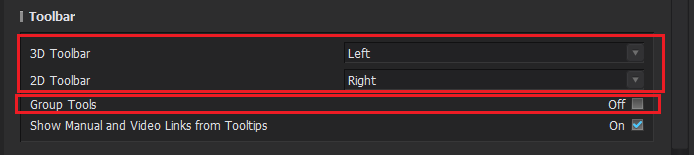
Under the Toolbar header, you can adjust where your toolbars appear. Depending on the size and ratio of your screen, having the bars on the side vs top may give you an orientation where all tools are displayed without having to do that. The 2nd option is in that same section, and it is a check box called Group tools. This will collapse more tools together into a single icon. If all your tools are ungrouped, you may want to group them so you have less icons in the bars. They will all still be available, just consolidated!
Another recommendation I have is to learn the hot keys, that way you don't even have to find the icons at all. You can change and set new hot keys if you don't like what is set by default in Settings --> User Settings --> Shortcuts.
Happy CLOing :)
1 -
Thank you for your help!
0 -
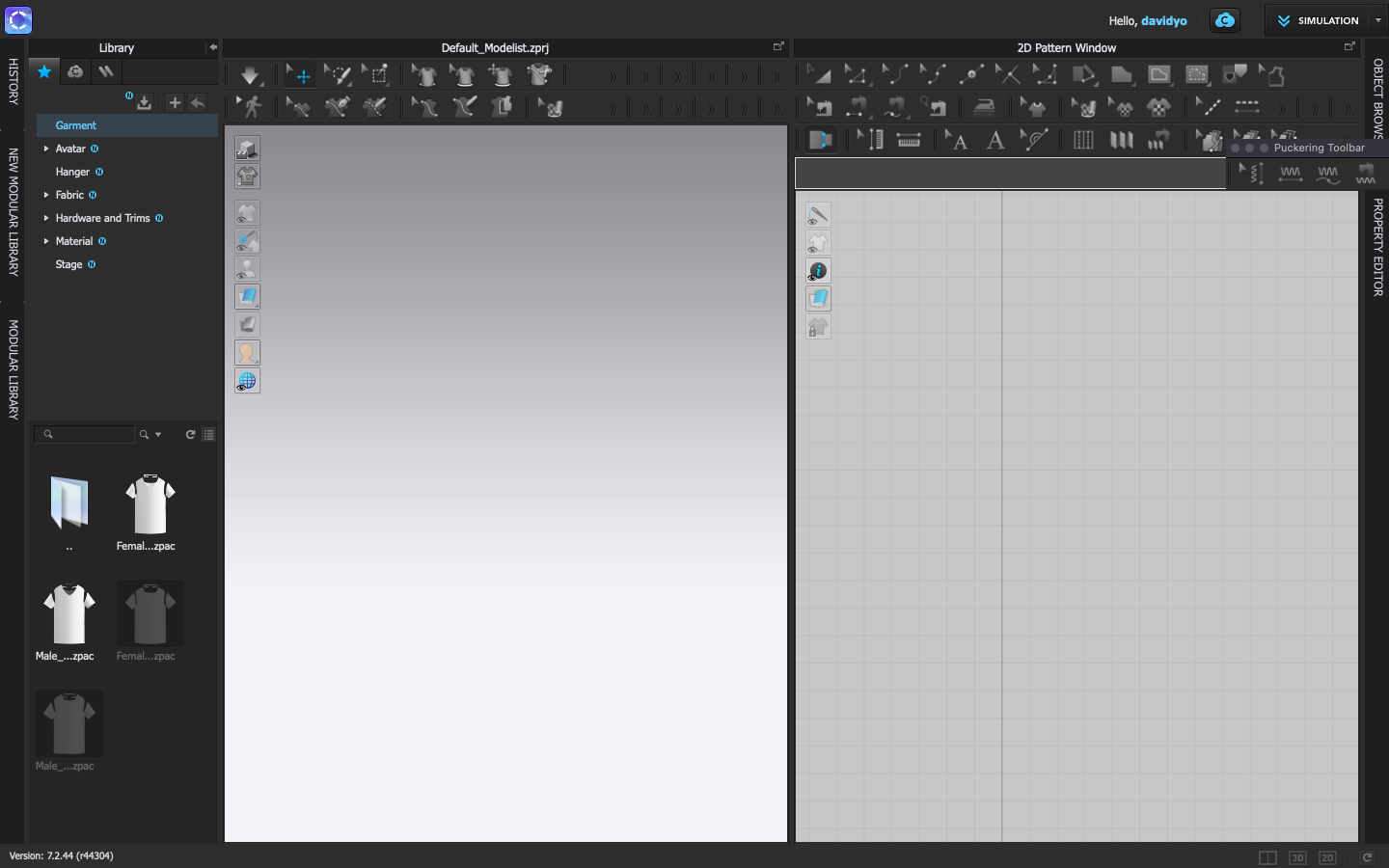
I know this is a late comment, but I've figured a workaround to this issue. 1st click on the bars next to each tool group and drag the tools out to create a new row.

Should look like this...
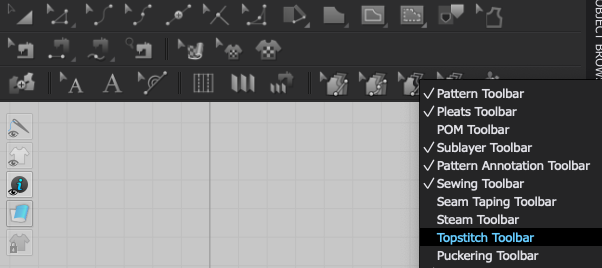
2nd If the tools are taking up too much space, you can simply hide the ones you don't want to see:

It's a bit tasky, but worth the effort (avoid reseting to default layout, don't wanna waste ur efforts)
0
Comments