grain direction does not work

 Hello! The direction of the warp thread in print layout does not work. I choose 2 or 4 directions, but everything happens in one direction
-
Changing the grain direction refers to the direction a fabric will stretch. There is a great article HERE explaining this
If you want to alter the direction the pattern piece us cut you can always rotate the pattern pieces in the Print layout mode. Or rotate using the Edit Texture Tool.
In print Layout the arrow will always be vertical to show how they are being cut out along a roll of fabric
0 -
I understand it. The question was that with the automatic layout of the patterns (to save money), the parts should rotate vertically along the warp thread. I understand that I can rotate them myself, but then why the auto-layout function?
0 -
Are you using the Nest Patterns tool or the Reset Default Arrangement tool?
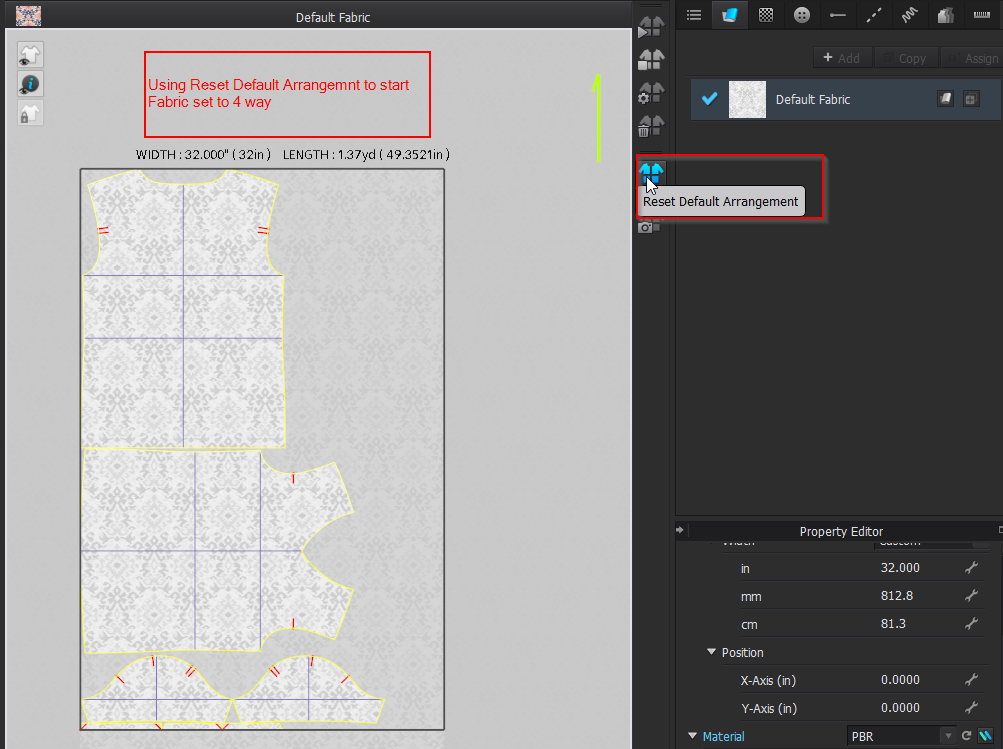
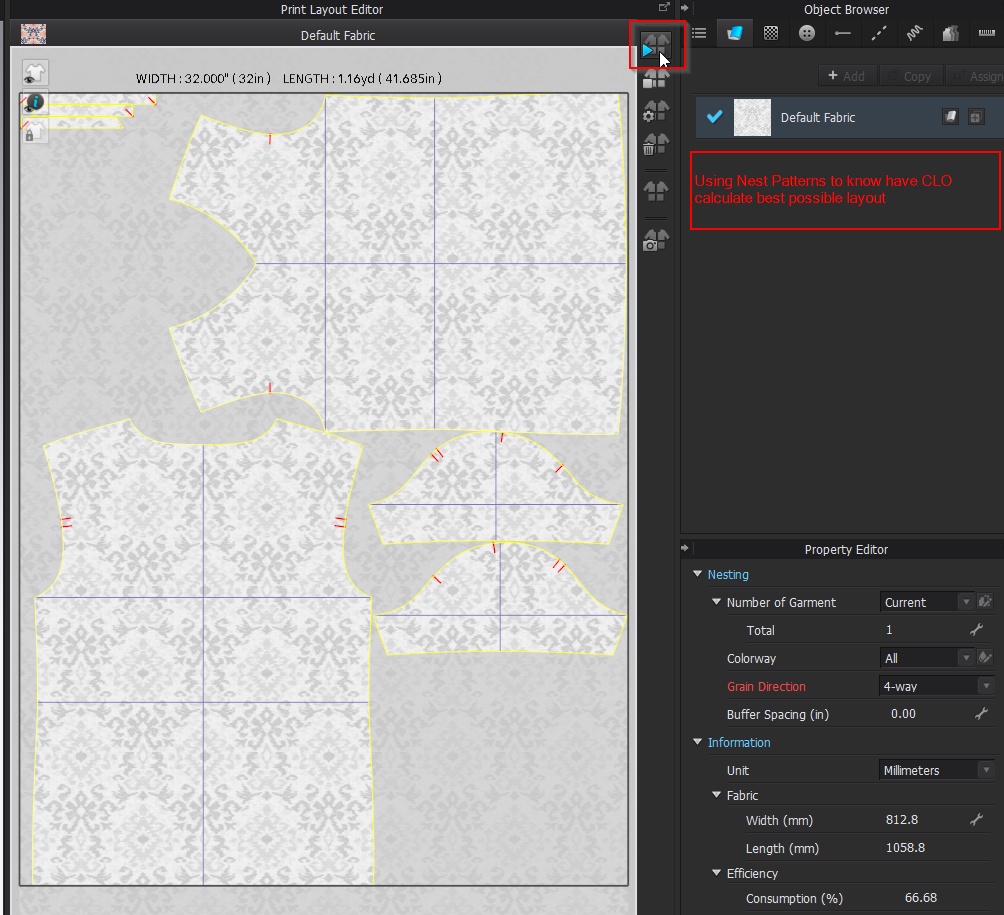 0
0
Comments